This is an archive version of the document. To get the most up-to-date information, see the current version.
Step 7. Specify Advanced Restore Settings
You can specify directories that you want to restore during bare metal recovery.
To exclude directories from restore, do the following:
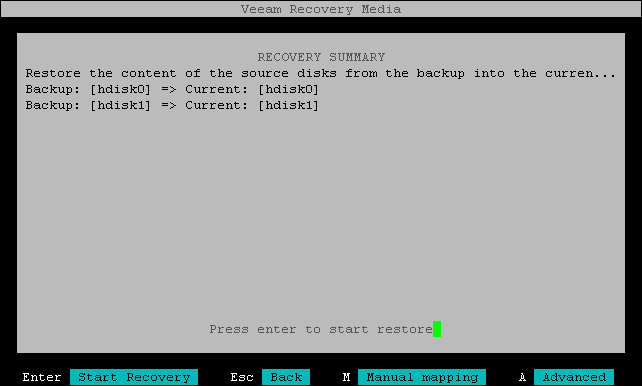
- At the Recovery Summary step of the wizard, press the [A] key on the keyboard.
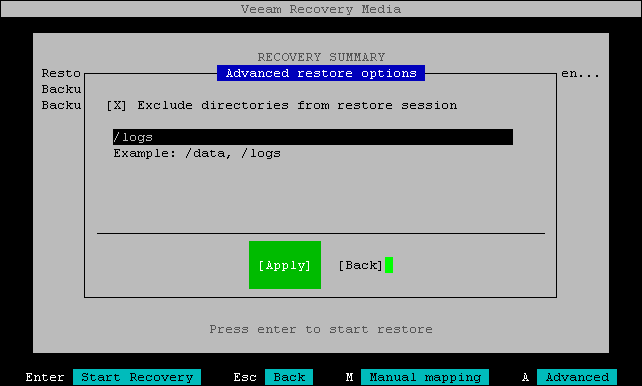
- In the Advanced restore options window, use the [Tab] key to select the Exclude directories from restore session option and press [Space].
- Type in the path to the directory you want to exclude. If there is more than one directory to exclude, separate the paths with a comma (',').
- Press [Tab] to switch to the Apply button and press [Enter].