This is an archive version of the document. To get the most up-to-date information, see the current version.
Step 5. Specify Workload
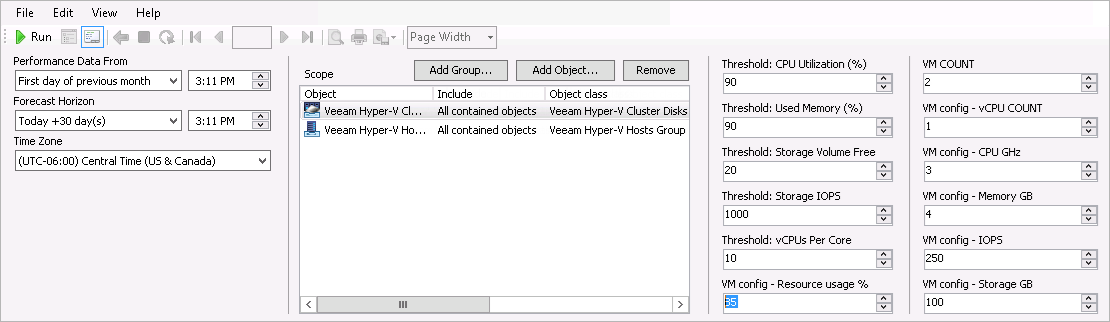
To follow this example:
- In the VM COUNT field, enter 2.
- In the VM config - CPU GHz field, enter 3.
- In the VM config - Memory GB field, enter 4.
- In the VM config - IOPS field, enter 250.
- In the VM config - Resource usage % field, enter 85.