 This is an archive version of the document. To get the most up-to-date information, see the current version.
How Backup Works
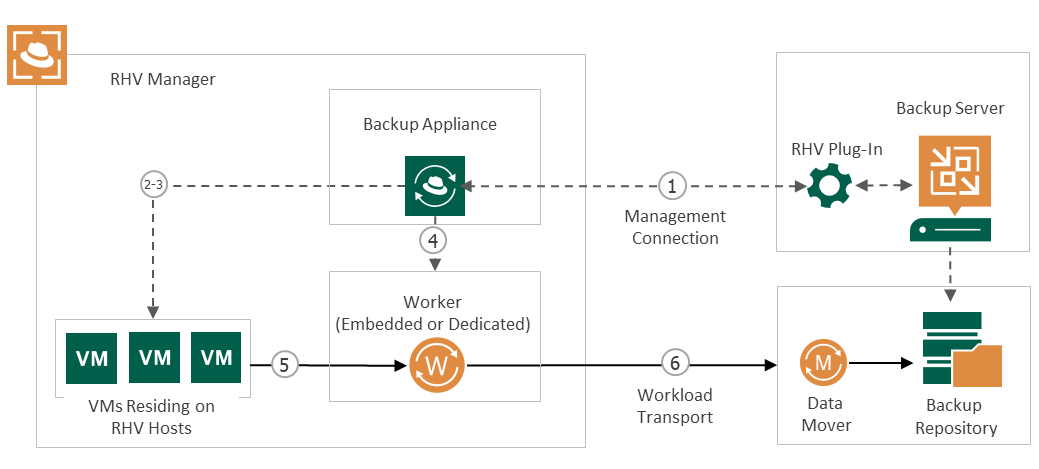
While creating image-level backups, Veeam Backup for RHV does not install agent software inside VMs to retrieve data. Veeam Backup for RHV uses native RHV capabilities to take VM snapshots and produces backups in the following way:
- The backup server starts a backup job and forwards the backup session data to the RHV backup appliance.
- The RHV backup appliance connects to the RHV manager over REST API and creates snapshots of all VMs added to the job.
- The RHV backup appliance sends a REST API request to the RHV manager to create an image transfer session and to provide its URL.
- The RHV backup appliance launches a worker.
- The worker retrieves the VM data using the provided URL.
- The worker compresses and deduplicates the VM data and forwards it to the target backup repository in the native Veeam format.
Related Topics