Starting and Stopping Policies
Veeam Plug-in for Kasten allows you to start a Veeam Kasten policy manually from the Veeam Backup & Replication console. It can be helpful if you want to create an additional snapshot or export without modifying the configured backup policy schedule. Additionally, you can stop a Veeam Kasten backup policy if the processing of applications is about to take too long and you do not want the policy to produce a heavy load on the production environment during business hours.
Starting Kasten Policies
To start a Kasten policy:
- Open the Home view.
- In the inventory pane, select Jobs.
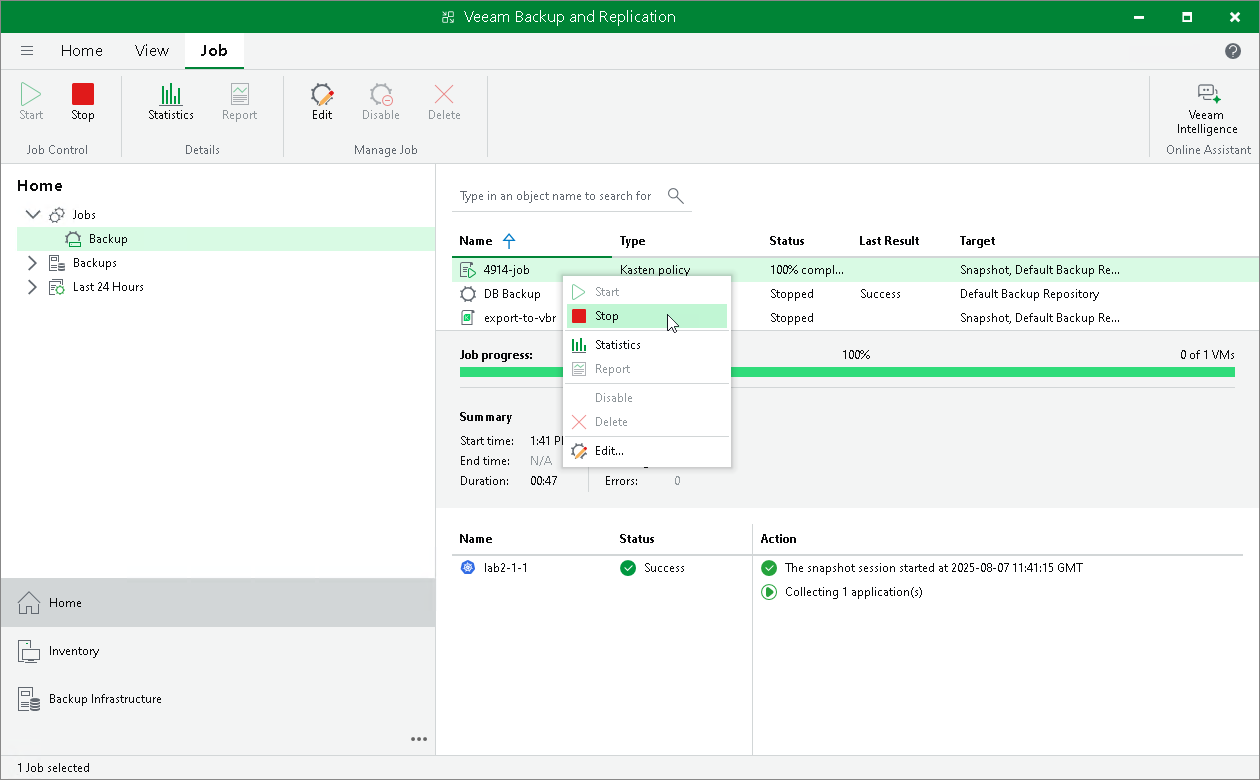
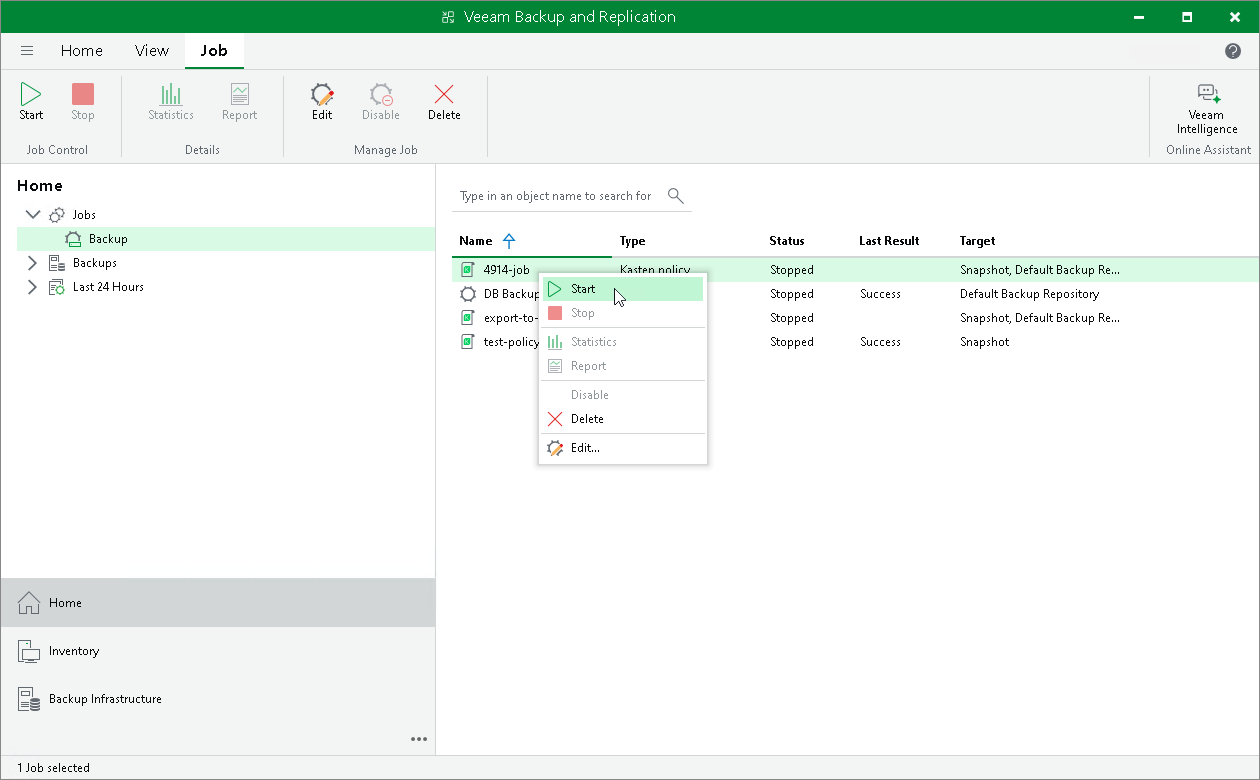
- In the working area, select the necessary Veeam Kasten policy and click Start on the ribbon. Alternatively, right-click the selected policy and click Start.
|
Tip |
|
To select several Kasten policies at once, press and hold [Ctrl] or [Shift]. |
Stopping Kasten Policies
To stop a Veeam Kasten policy:
- Open the Home view.
- In the inventory pane, select Jobs.
- In the working area, select the necessary Veeam Kasten policy and click Stop on the ribbon. Alternatively, right-click the selected policy and click Stop. In the displayed window, click Yes.
|
Tip |
|
To select several Kasten policies at once, press and hold [Ctrl] or [Shift]. |