This is an archive version of the document. Starting from version 9, the Veeam Plug-in for Nutanix AHV User Guide is part of the Veeam Backup & Replication User Guide. To get the most up-to-date information, see the current version.
Removing Nutanix AHV Server
If you do not want to protect resources managed by the connected Prism Central or Nutanix AHV cluster anymore, you can remove it from the backup infrastructure.
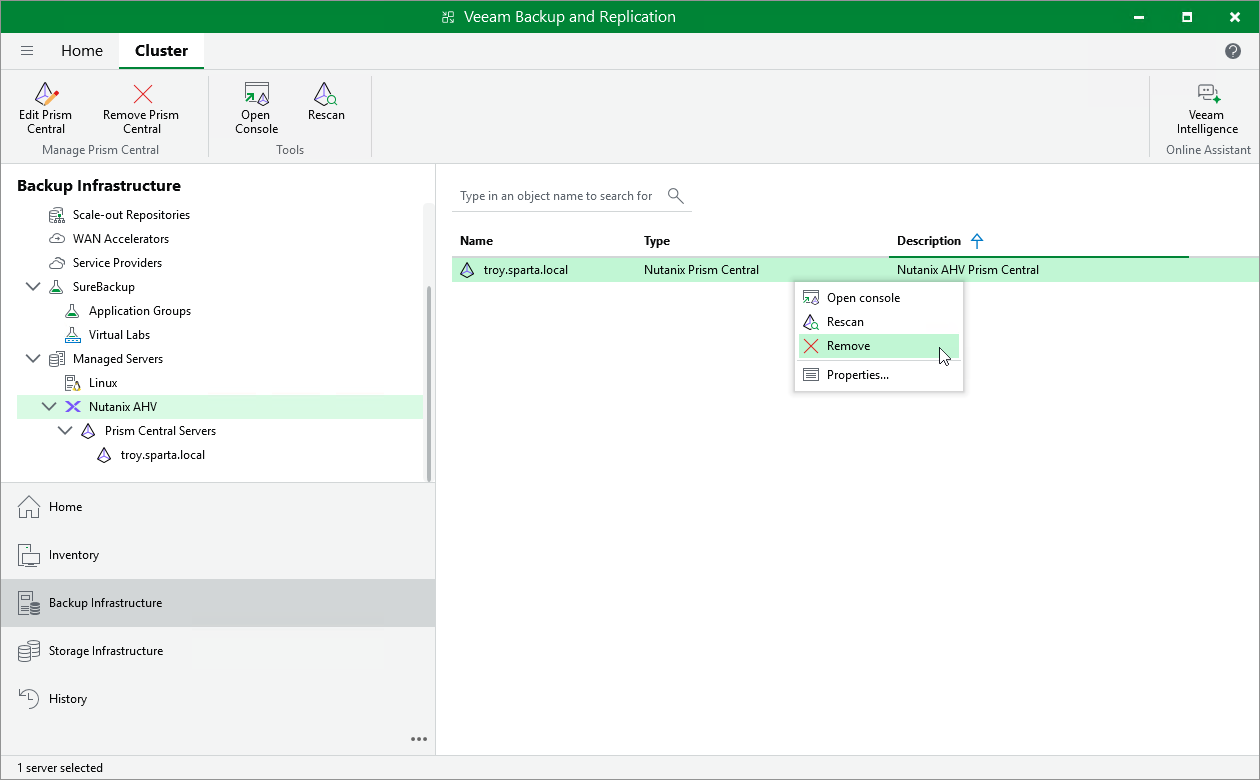
To remove the Prism Central or Nutanix AHV cluster from the backup infrastructure:
- Open the Backup Infrastructure view.
- In the inventory pane, select Managed Servers > Nutanix AHV.
- In the working area, select the Prism Central or Nutanix AHV cluster and click Remove on the ribbon, or right-click the Prism Central or Nutanix AHV cluster and select Remove.