This is an archive version of the document. Starting from version 9, the Veeam Plug-in for Nutanix AHV User Guide is part of the Veeam Backup & Replication User Guide. To get the most up-to-date information, see the current version.
Performing VM Restore to Microsoft Azure
Veeam Plug-in for Nutanix AHV allows you to restore Nutanix AHV VMs to Microsoft Azure as Azure VMs. For more information, see the Veeam Backup & Replication User Guide, section Restore to Microsoft Azure.
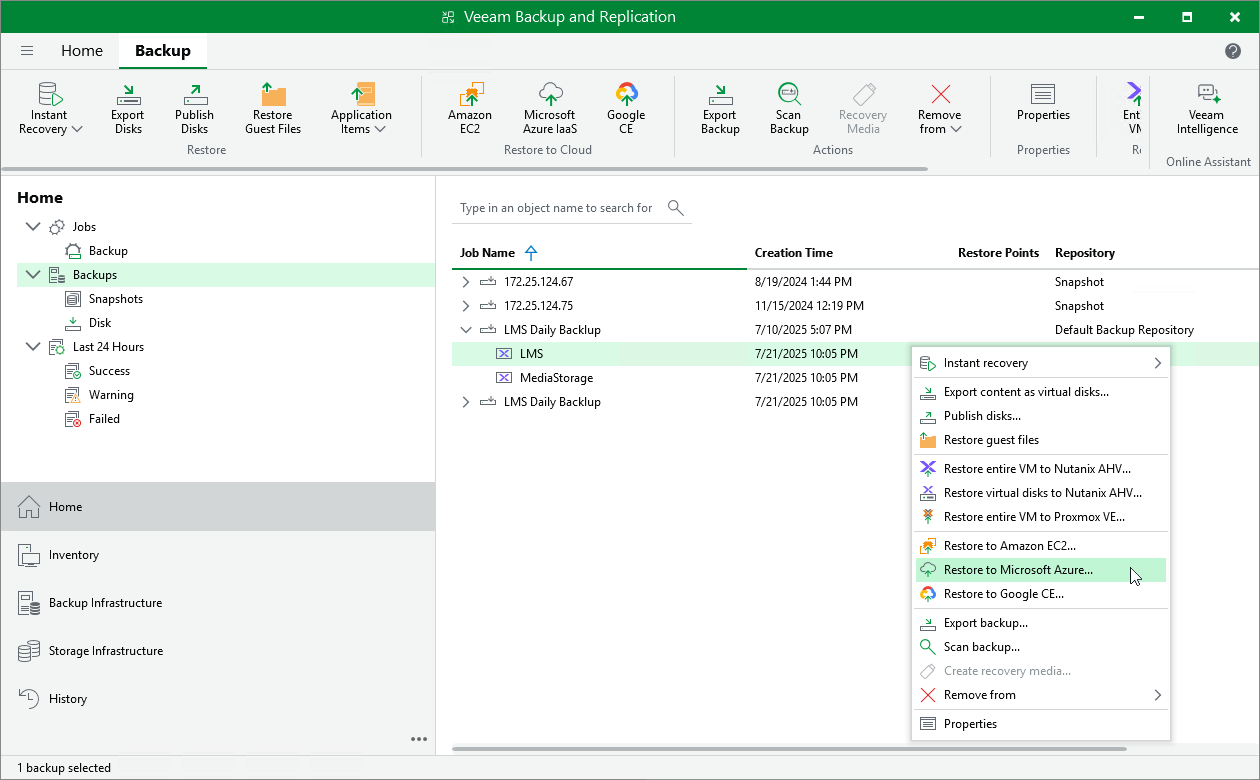
To restore a VM to Microsoft Azure, do the following:
- In the Veeam Backup & Replication console, open the Home view.
- In the inventory pane, select Backups.
- In the working area, expand the necessary backup job, right-click the VM that you want to restore and select Restore to Microsoft Azure.
- Complete the Restore to Microsoft Azure wizard as described in the Veeam Backup & Replication User Guide, section Restoring to Microsoft Azure.