This is an archive version of the document. Starting from version 8, the Veeam Backup for Google Cloud User Guide is part of the Veeam Backup & Replication User Guide. To get the most up-to-date information, see the current version.
Step 4a. Choose Regions
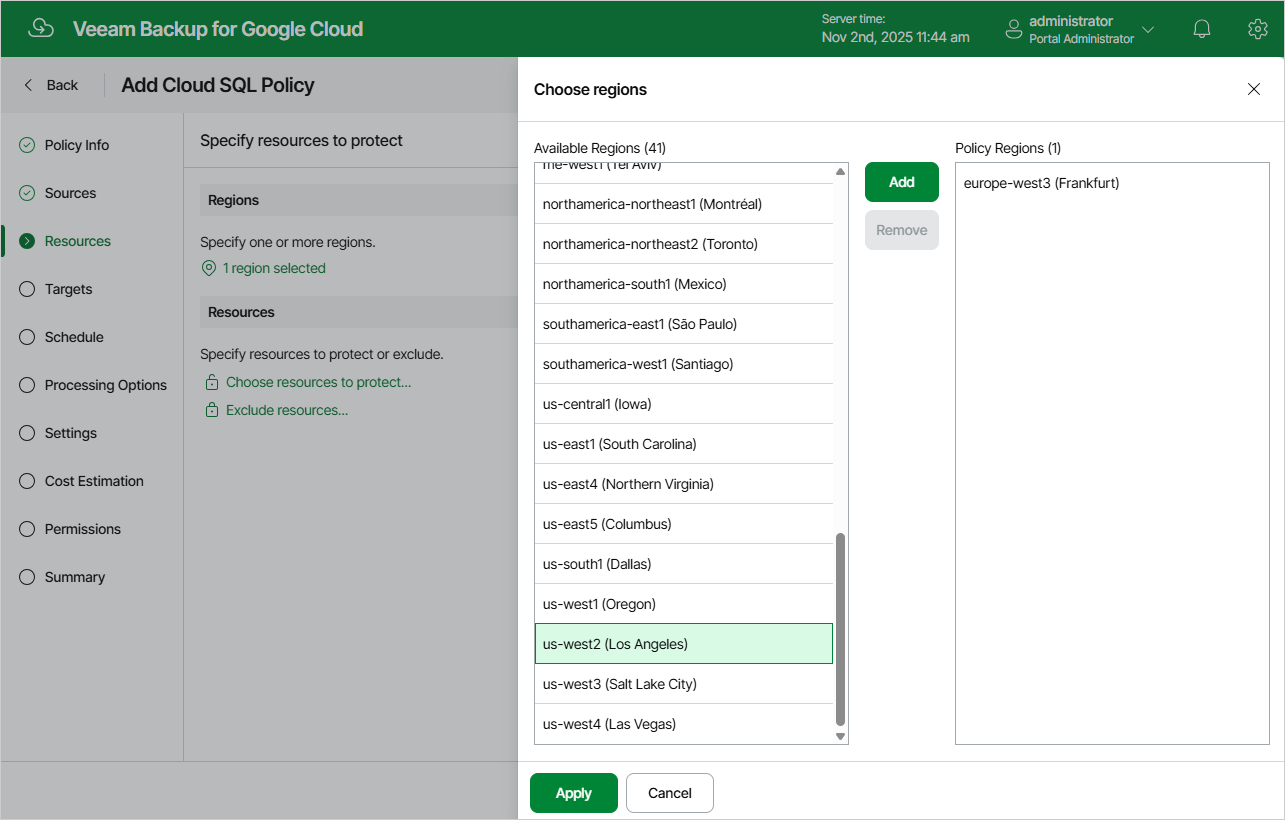
In the Regions section of the Resources step of the wizard, choose regions in which Cloud SQL instances that you want to protect reside.
- Click Choose regions.
- In the Choose regions window, select the necessary regions from the Available Regions list, and click Add.
- To save changes made to the backup policy settings, click Apply.