This is an archive version of the document. To get the most up-to-date information, see the current version.
Step 4b. Configure Backup Settings
In this article
If you want to create image-level backups of the selected VM instances, do the following:
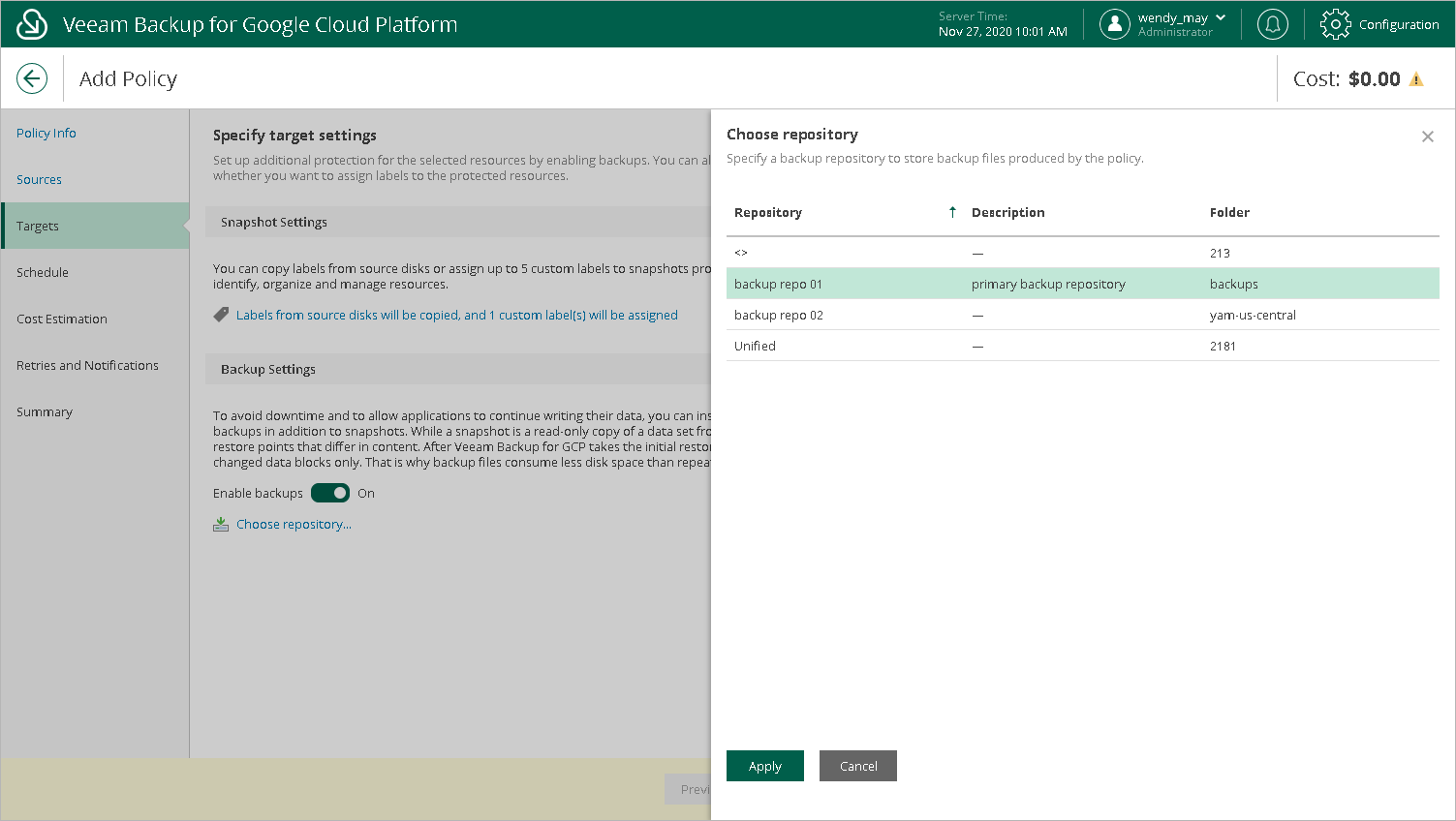
- In the Backup Settings section of the Targets step of the wizard, set the Enable backups toggle to On.
- In the Choose repository window, select a backup repository where the created image-level backups must be stored.
For a backup repository to be displayed in the Repository list, it must be added to Veeam Backup for GCP as described in section Adding Backup Repositories.
- To save changes made to the backup policy settings, click Apply.