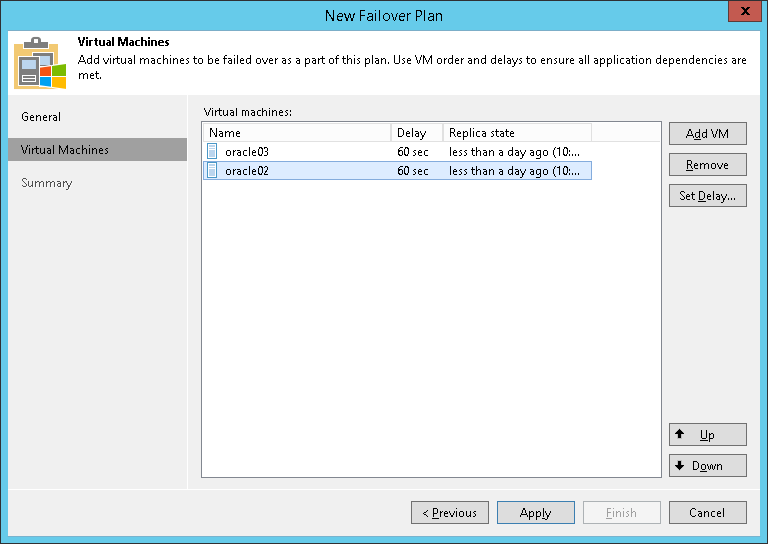
第 3 步选择虚拟机
At the Virtual Machines step of the wizard, select VMs that you want to add to the failover plan. You can add separate VMs and whole VM containers (Hyper-V hosts, clusters, SCVMM, SCVMM tags, SCVMM host groups, VM groups, or volumes).
To add VMs and VM containers:
- Click Add VM.
- Select where to browse for VMs and VM containers:
- From infrastructure — browse the virtual environment and select VMs or VM containers. If you choose a VM container, Veeam Backup & Replication will expand it to a plain VM list.
- From replicas — browse existing replication jobs and select all VMs or specific VMs from replication jobs.
To quickly find the necessary VMs or VM containers, you can use the search fields.
Note |
A source from which you add a VM to a failover plan does not affect whether you fail over to the latest or specific restore point. It is the command that you select when starting a failover plan that defines the restore point. For more information, see Running Failover Plans. |