This is an archive version of the document. To get the most up-to-date information, see the current version.
Rescanning Microsoft Entra ID Repository
You can rescan the Microsoft Entra ID backup repository configured in the backup infrastructure. Backup repository rescan can be required in the following cases:
- You have moved information from one PostgreSQL instance on which the repository is based to another instance.
- You have restored the Veeam Backup & Replication configuration database.
- After a job failed and it requested backup repository rescan.
- Other cases.
|
Note |
|
We recommend you to stop or disable all jobs before performing the rescan.Veeam Backup & Replication skips from scanning backups created by active jobs. |
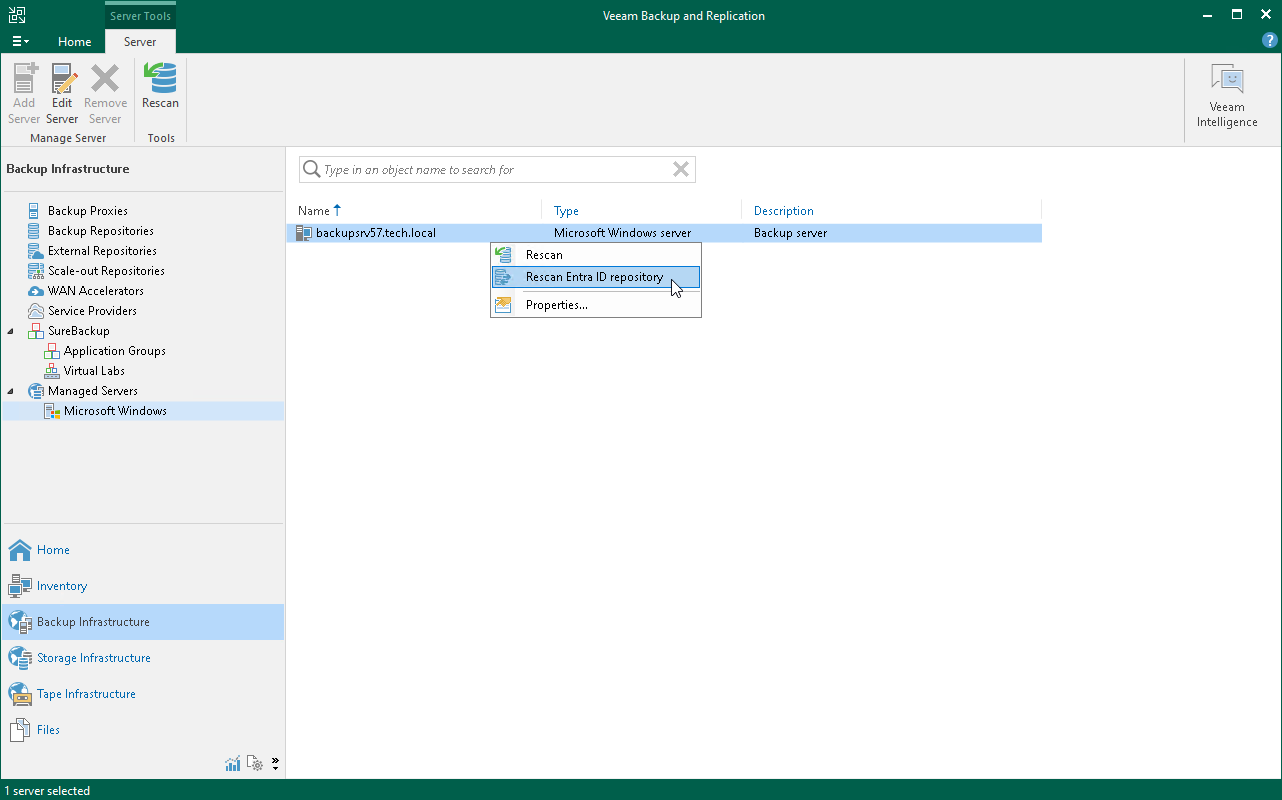
To rescan the Microsoft Entra ID backup repository:
- Open the Backup Infrastructure view.
- In the inventory pane, select the Managed Servers > Microsoft Windows node.
- In the working area, select the backup server.
- Press the [Ctrl] key, right-click the backup server and select Rescan Entra ID repository.