 This is an archive version of the document. To get the most up-to-date information, see the current version.
Deleting Backup Job
You can delete a backup job configured in Veeam Agent for Linux. When you delete a backup job, backup files created by this job remain intact in the backup repository.
You can delete backup jobs in one of the following ways:
Deleting Backup Job in Control Panel
To delete a backup job using the Veeam Agent control panel, do the following:
- Launch the Veeam Agent control panel with the veeam or veeamconfig ui command.
- Press the [C] key to open the Select job to configure dialog window or the [S] key to open the Select job to start dialog window.
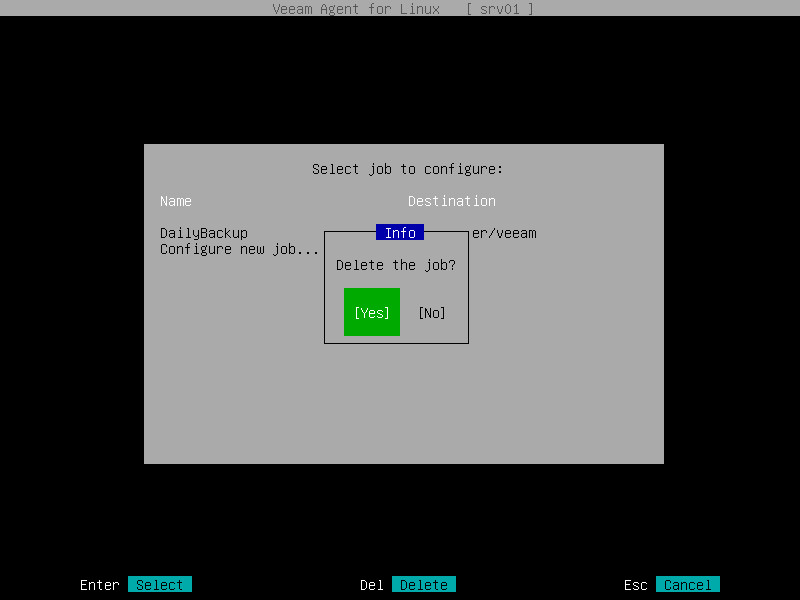
- Select the necessary backup job in the list and press [Delete].
- In the displayed notification window, make sure that the Yes button is selected and press [Enter].
Deleting Backup Job in Command Line Interface
To delete a backup job in the Veeam Agent command line interface, use the following command:
|
veeamconfig job delete --name <job_name> |
or
|
veeamconfig job delete --id <job_id> |
where:
- <job_name> — name of the backup job that you want to delete.
- <job_id> — ID of the backup job that you want to delete.
For example:
|
$ veeamconfig job delete --name SystemBackup |