This is an archive version of the document. Starting from version 9, the Veeam Backup for Microsoft Azure User Guide is part of the Veeam Backup & Replication User Guide. To get the most up-to-date information, see the current version.
Step 4. Specify Subscription and Region
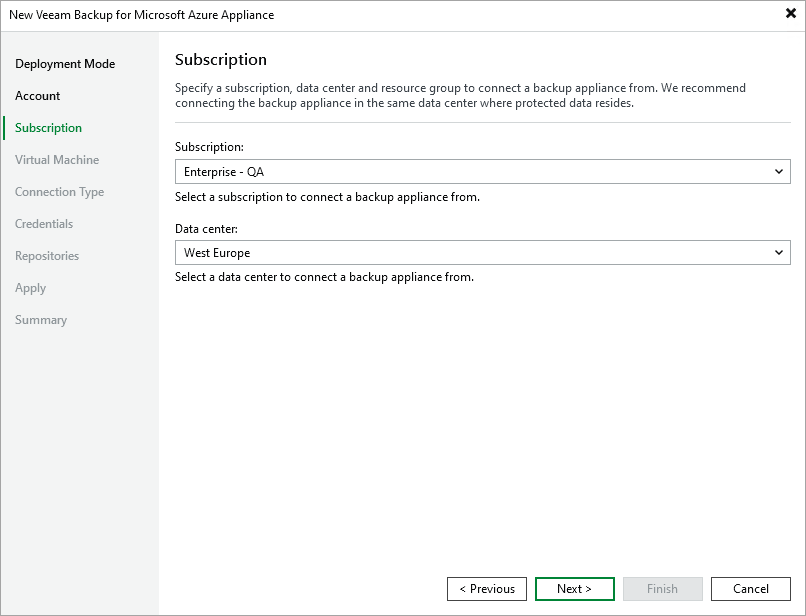
At the Subscription step of the wizard, do the following:
- From the Subscription drop-down list, select an Azure subscription that is used to manage costs of the backup appliance.
For a subscription to be displayed in the list of available subscriptions, it must be created in Microsoft Azure and associated with the Microsoft Entra tenant to which the Microsoft Azure compute account specified at step 3 belongs.
- From the Data center drop-down list, select the Azure region in which the backup appliance resides.
For more information on regions and zones, see Microsoft Docs.