This is an archive version of the document. Starting from version 9, the Veeam Backup for Microsoft Azure User Guide is part of the Veeam Backup & Replication User Guide. To get the most up-to-date information, see the current version.
Step 2e. Specify DNS Settings
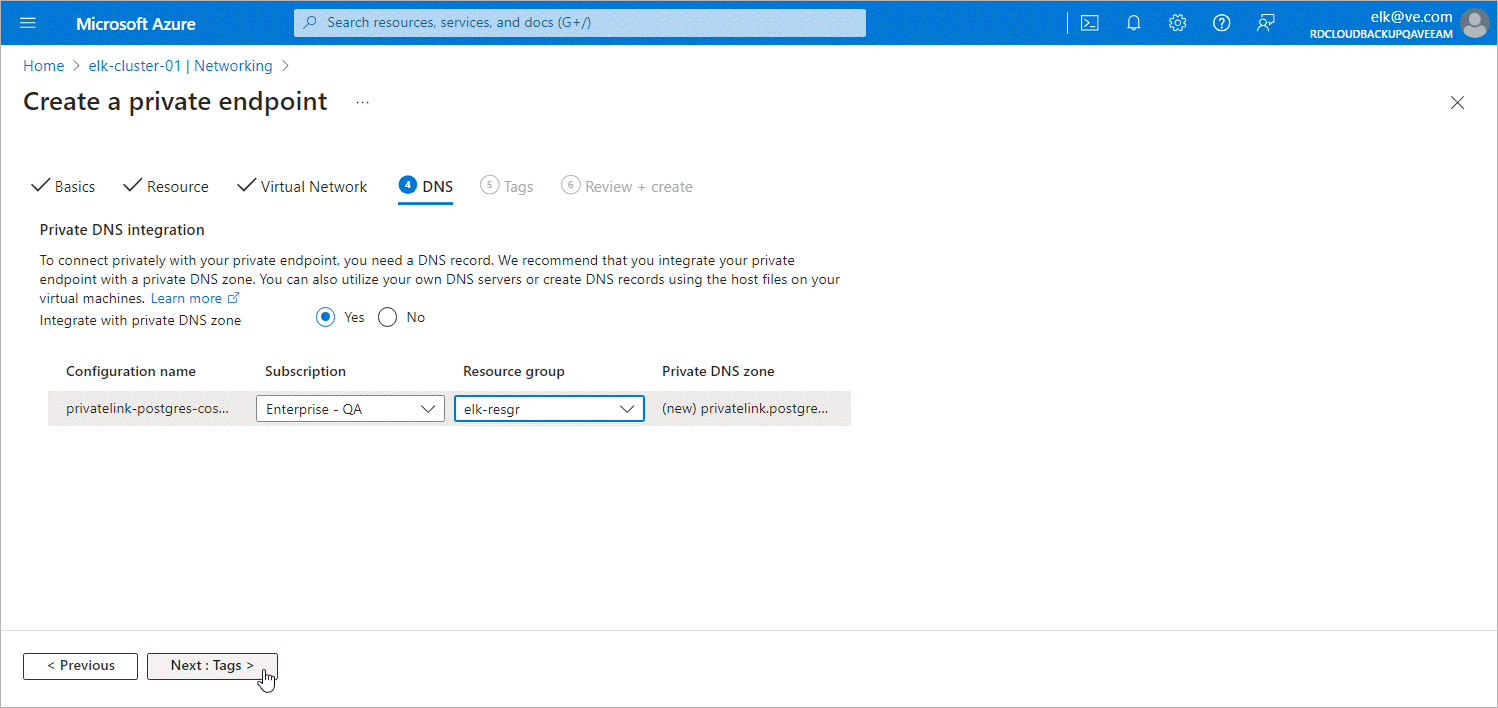
At the DNS step of the Create a private endpoint wizard, do the following:
- In the Private DNS integration section, navigate to the Integrate with private DNS zone field and click Yes.
- From the Subscription and the Resource group drop-down lists, select the subscription and the resource group in which the private DNS zone will be created.
It is recommended that you create the DNS zones in the same resource group where the backup appliance resides, to simplify resource management.
- Click Next: Tags >.