This is an archive version of the document. Starting from version 9, the Veeam Backup for Microsoft Azure User Guide is part of the Veeam Backup & Replication User Guide. To get the most up-to-date information, see the current version.
Performing Manual Configuration Backup
While performing configuration backup, Veeam Backup for Microsoft Azure exports data from the configuration database and saves it to a backup file in a repository. To back up the configuration database of the backup appliance manually, do the following:
- Switch to the Configuration page.
- Navigate to Configuration Backup.
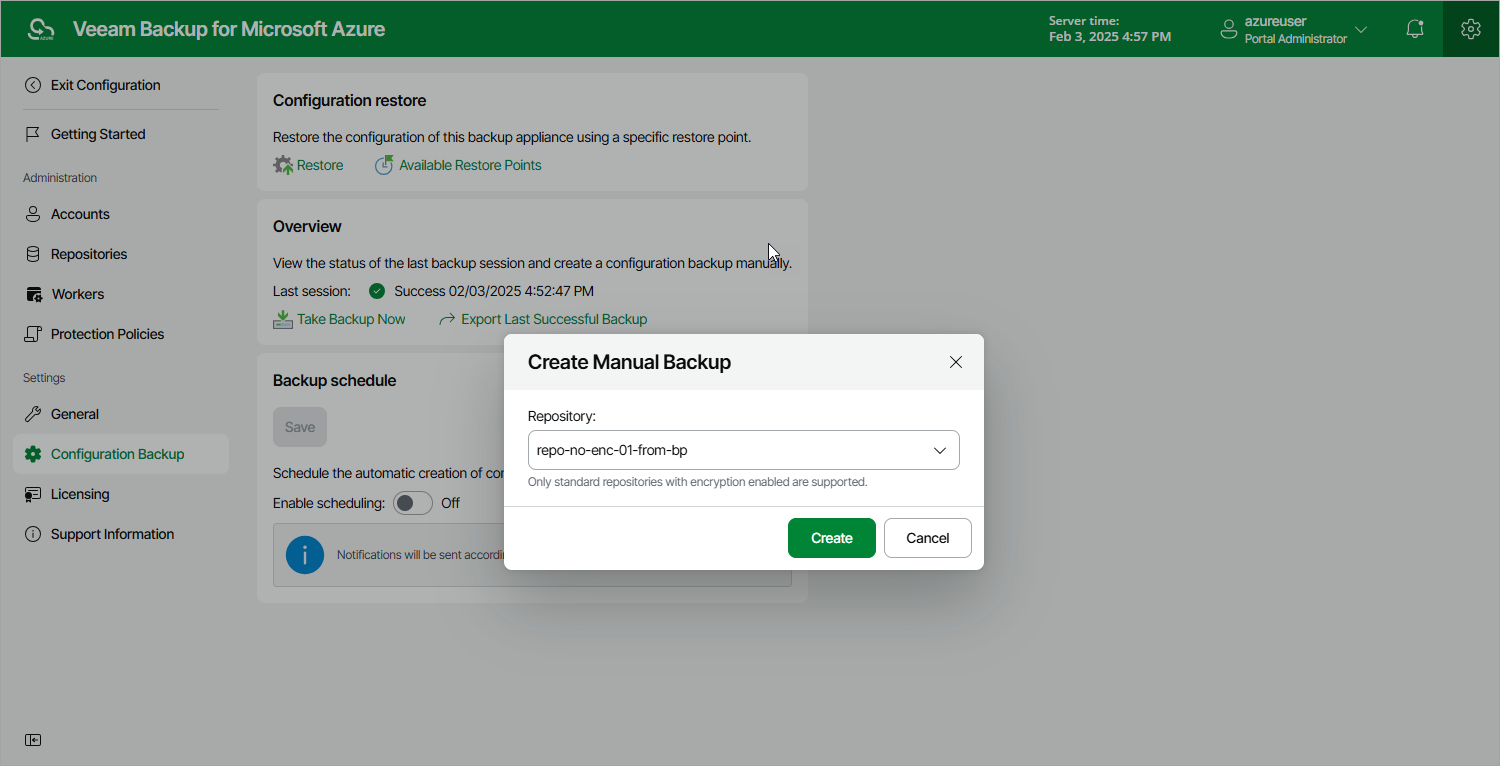
- In the Overview section, click Take Backup Now.
- In the Create Manual Backup window, select a backup repository where the configuration backup will be stored, and click Create.
For a backup repository to be displayed in the Repository list, it must be added to Veeam Backup for Microsoft Azure as described in section Adding Backup Repositories. The Repository list shows only backup repositories that have encryption enabled and immutability disabled.
As soon as you click Create, Veeam Backup for Microsoft Azure will start creating a new backup in the selected repository. To track the progress, click Go to Sessions in the Session Info window to proceed to the Session Log page.