This is an archive version of the document. Starting from version 3, the Veeam Plug-In for Proxmox VE User Guide is part of the Veeam Backup & Replication User Guide. To get the most up-to-date information, see the current version.
Removing Workers
Veeam Backup & Replication allows you to permanently remove workers if you no longer need them. Note that you can remove a worker only when it is not processing a backup or restore operation.
To remove a worker, do the following:
- Open the Backup Infrastructure view.
- In the inventory pane, select Backup Proxies.
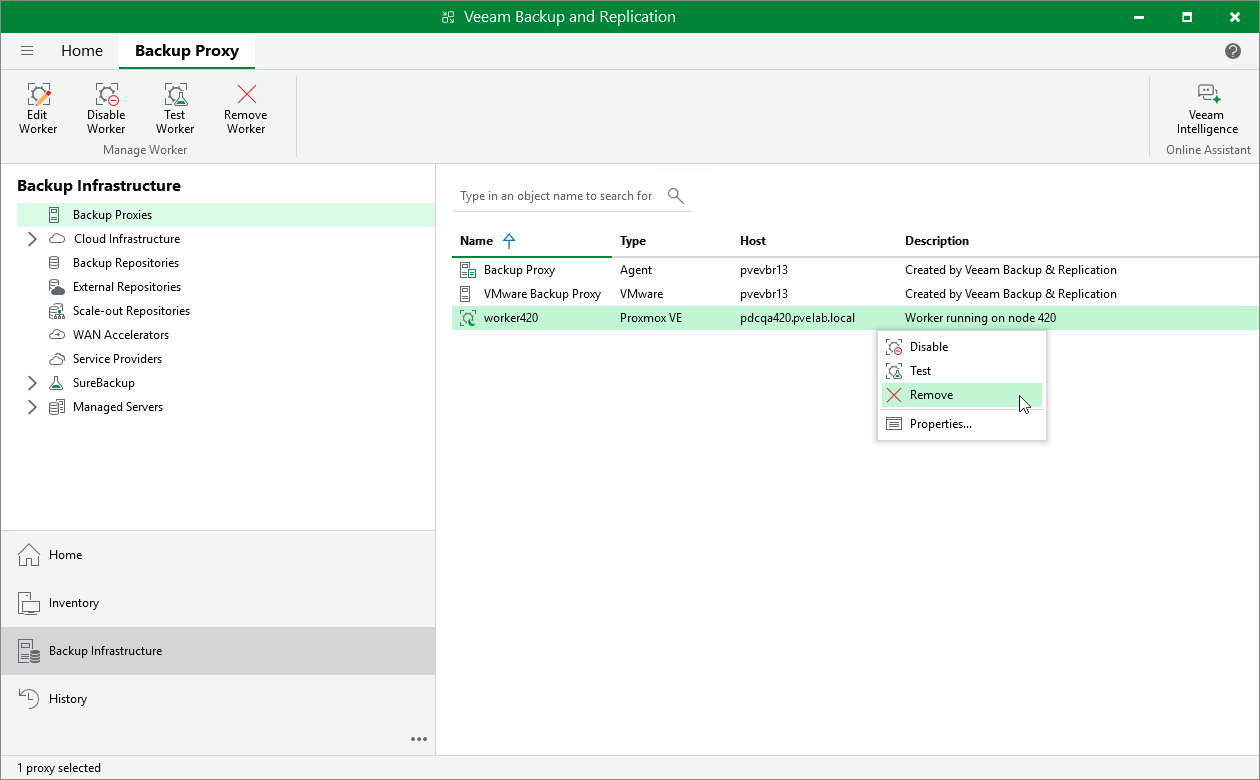
- In the working area, select the necessary worker and click Remove Worker on the ribbon.
Alternatively, right-click the worker and select Remove.
- In the Veeam Backup & Replication window, confirm that you want to permanently delete the worker.