This is an archive version of the document. Starting from version 11, the Veeam Backup for AWS User Guide is part of the Veeam Backup & Replication User Guide. To get the most up-to-date information, see the current version.
Deleting Backup Policies
Veeam Backup & Replication allows you to permanently delete backup policies created by Veeam Backup for AWS.
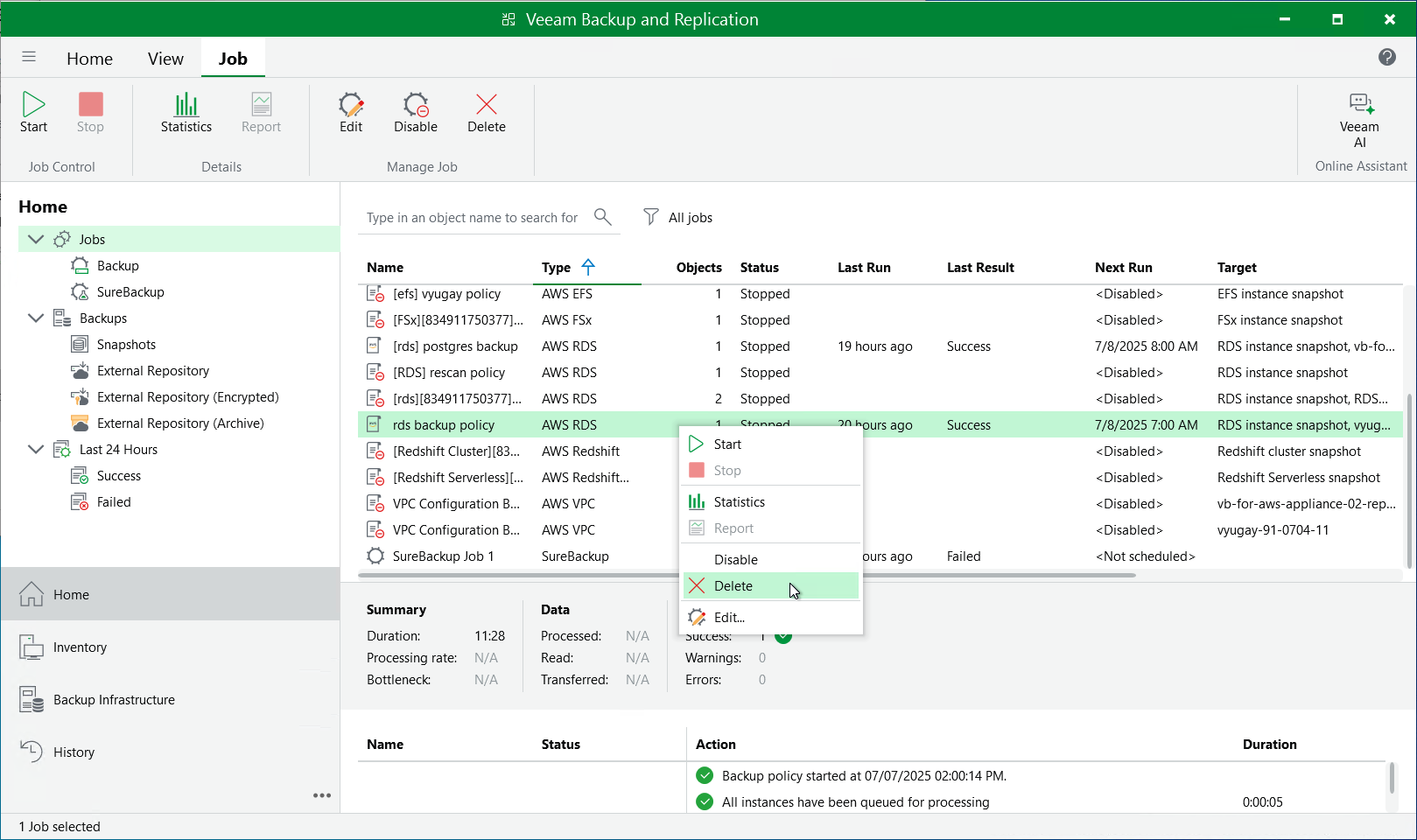
To delete a backup policy, do the following:
- In the Veeam Backup & Replication console, open the Home view.
- Navigate to Jobs.
- Select the necessary backup policy and click Delete on the ribbon.
Alternatively, you can right-click the necessary backup policy and select Delete.
|
Important |
|
When you delete a backup policy from Veeam Backup & Replication, the policy is automatically deleted from the backup appliance as well. |