 This is an archive version of the document. Starting from version 11, the Veeam Backup for AWS User Guide is part of the Veeam Backup & Replication User Guide. To get the most up-to-date information, see the current version.
Checking for Updates
Veeam Backup for AWS automatically notifies you about newly released product versions, product updates, and software package updates available for the operating system running on the backup appliance. To learn which outbound internet access is required for the backup appliance to download information on available updates, see Ports.
If required, you can also check for available updates manually. To do that:
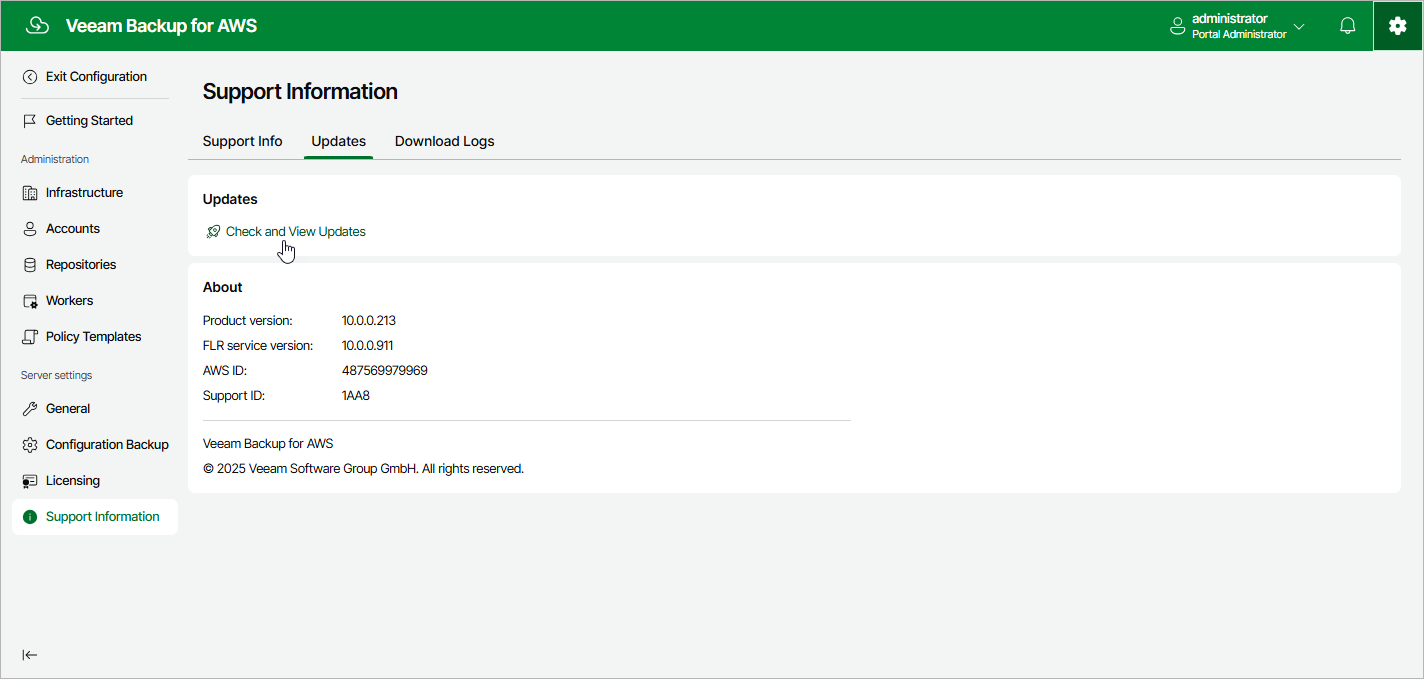
- Switch to the Configuration page.
- Navigate to Support Information > Updates.
- Click Check and View Updates.
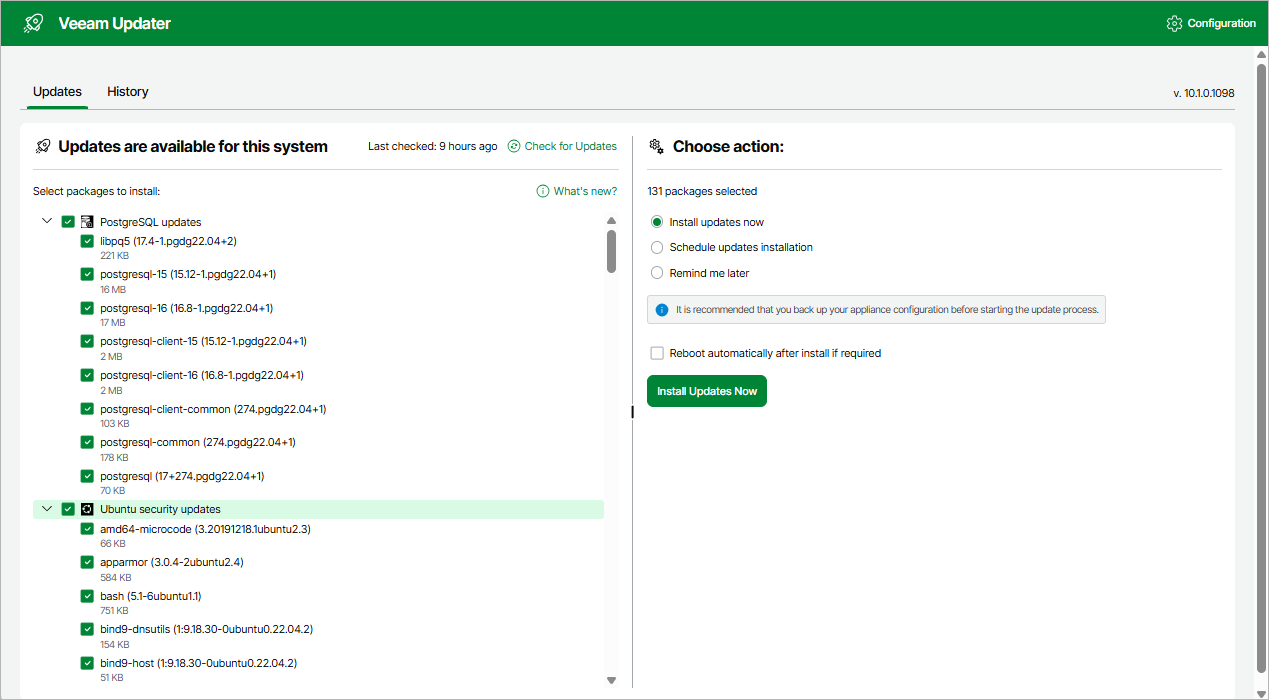
If new updates are available, Veeam Backup for AWS will display them on the Updates tab of the Veeam Updater page. To view detailed information on an update, select the check box next to the update and click What's new?
Related Topics