

After you deploy Veeam Backup for Microsoft Office 365, you should install the product license. Do the following:
- Start the program and open the main menu. (See Getting to Know the User Interface for more information.)
- Select the License command.
- In the dialog displayed, click Install License and specify the full path to the required .LIC file.
- Click Close to save the settings and close the dialog.
Take similar steps if you want to change the license file - for example, after purchasing a commercial license instead of free.
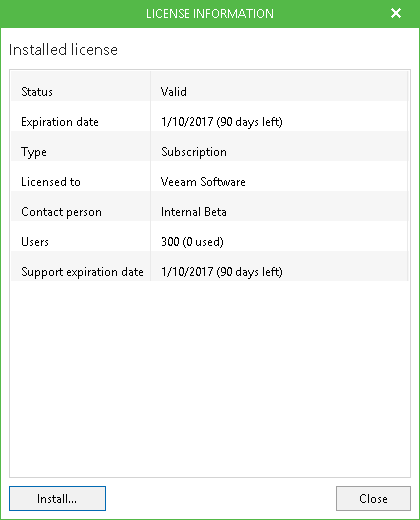
To view license information, select the License command from the main menu. Then you can examine the following: license status, expiration date, license type, contact person's name, the number of licensed users and support expiration date.
Note: |
|
Send feedback | Updated on 1/9/2017