

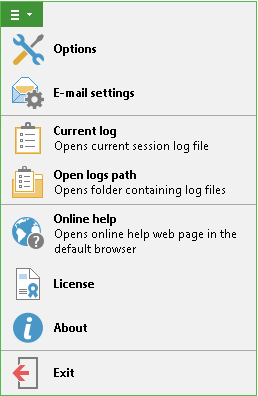
If you need to view current restore session log, go to the main menu of Veeam Backup for Microsoft Office 365 and select Current log. This will open the corresponding Veeam.Archiver.Shell_<timestamp>.log file.
To open the folder where the log files are stored, select Open logs path. Default location of the log files is C:\ProgramData\Veeam\Backup365\Logs.
Send feedback | Updated on 11/16/2016