

Organizations View
When you open the Organizations view, the following statistical information will be displayed:
- For the selected organization node on the left, you can view the list of its backup jobs in the preview pain on the right, including job name, status, details of the latest run, and date and time of the last backup it created.
- For the selected job, the pane below the job list shows the last session results, including session status (success or failure), bottleneck (if any), last backup date and time, data processing rate (read and write), session duration, the number of processed mailboxes, and the amount of transferred data.
- In the bottom of the main window, you can examine job session log records.
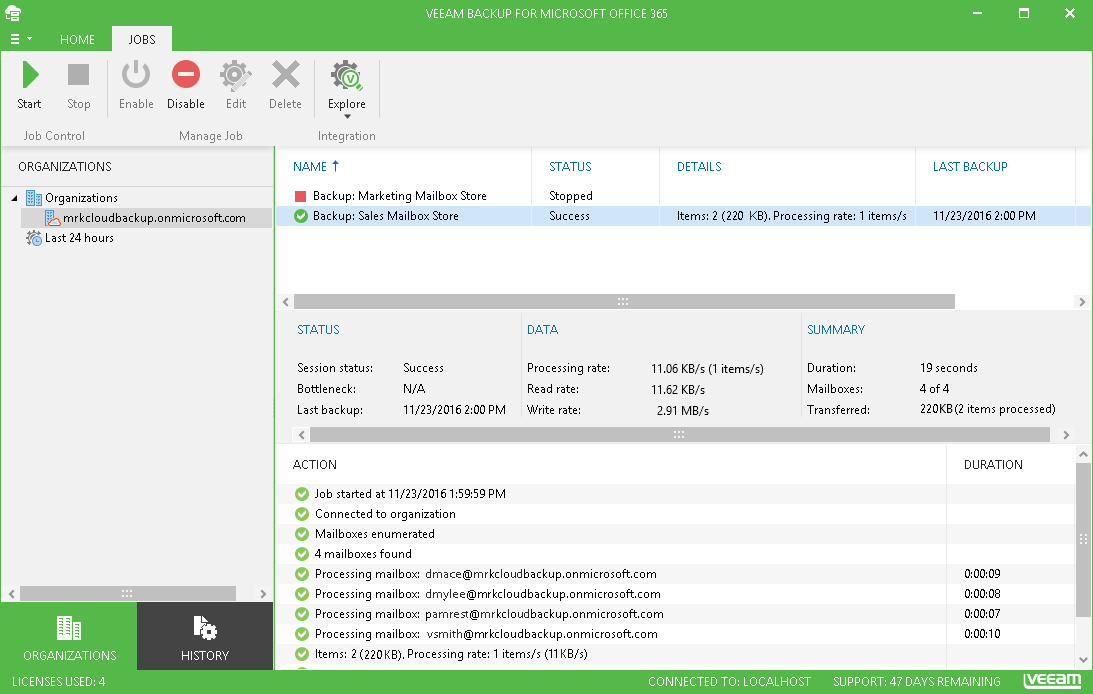
If you want to view sessions for the jobs that ran in the Last 24 hours, select the corresponding node in the navigation tree.
History View
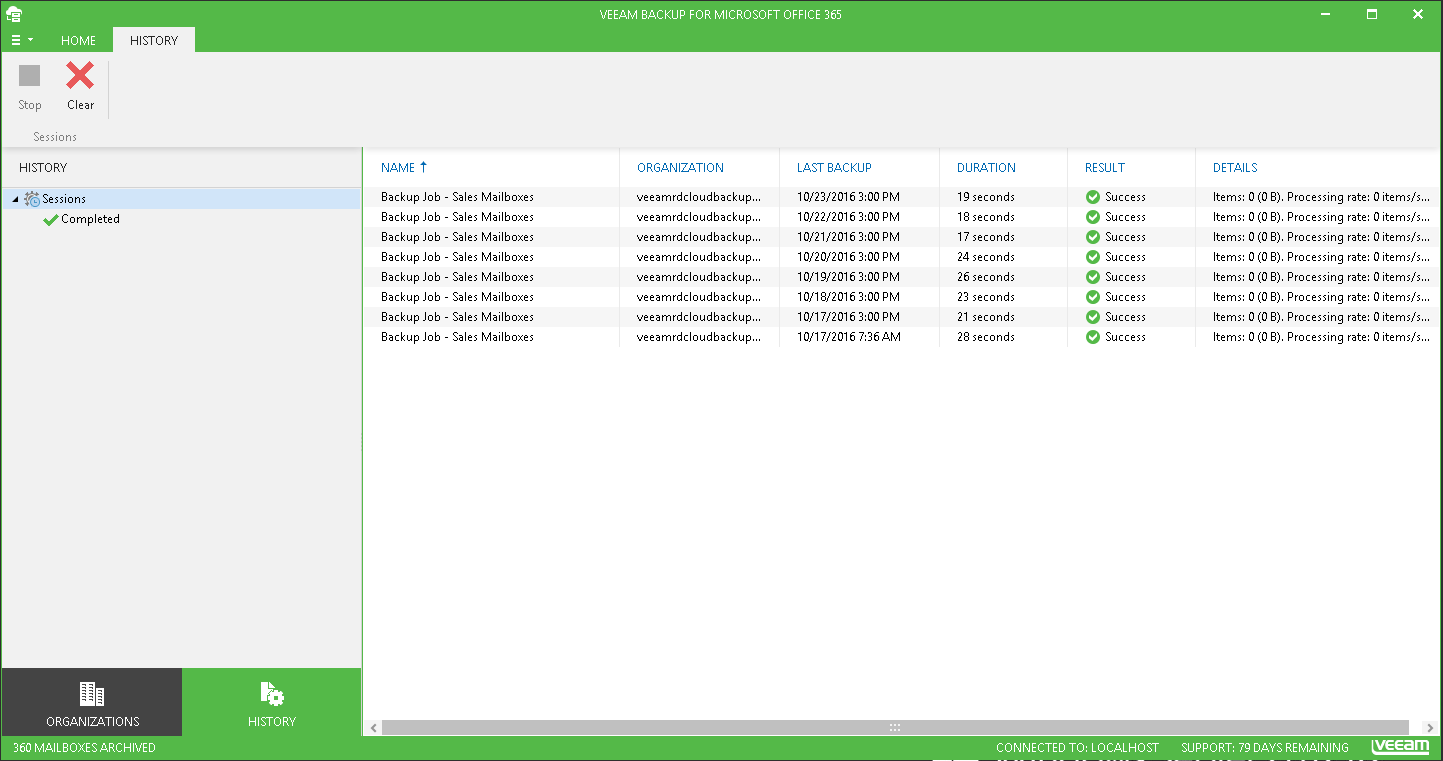
When you open the History view, you can view the list of all sessions for all jobs configured for all organizations added to the scope of Veeam Backup for Microsoft Office 365.
- Use the Completed and Failed nodes of the navigation tree to examine sessions with the corresponding results.
- Use the Stop button on the toolbar to stop the running session.
- Use the Clear button on the toolbar to delete all sessions data from Configuration Database.
Send feedback | Updated on 11/21/2016