This is an archive version of the document. To get the most up-to-date information, see the current version.
Viewing Backup Properties
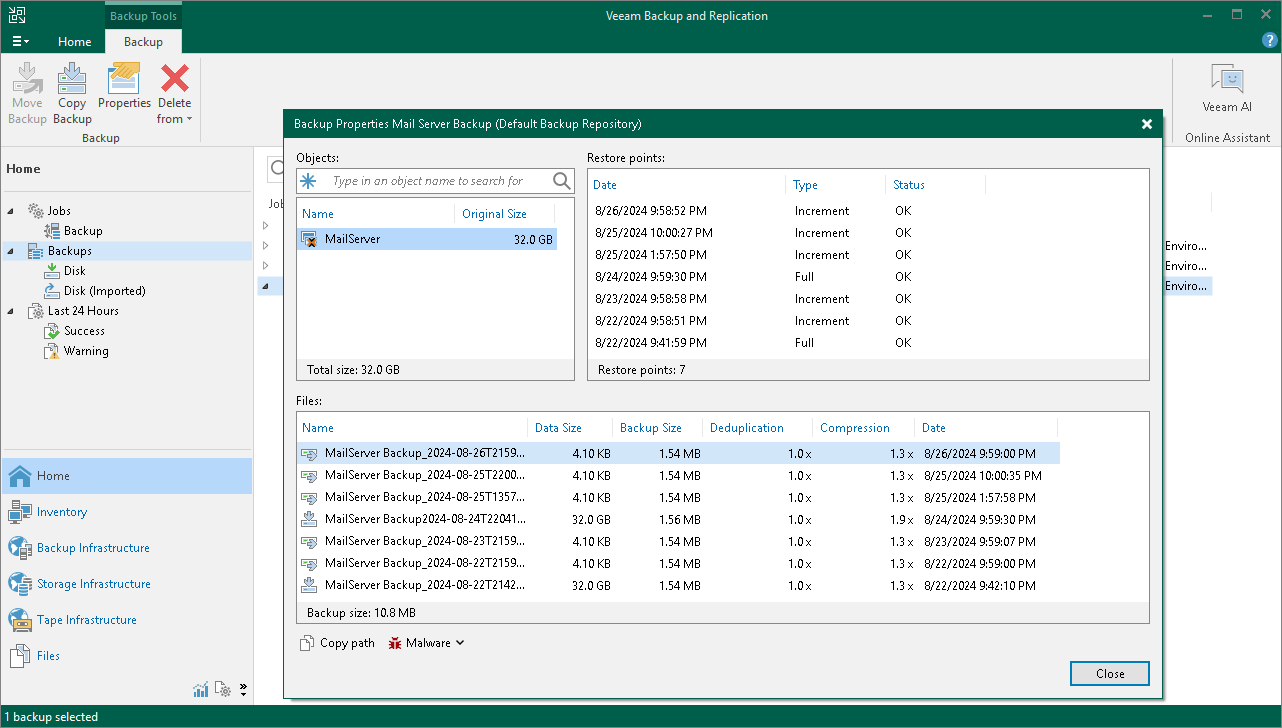
After a backup job successfully creates a VM backup according to the specified schedule, or after you create an active full VM backup manually, the backup is displayed under the Backups node in the Home view of the Veeam Backup & Replication console. Each backup is represented with a set of properties, such as:
- Objects — the names and sizes of backed-up VMs.
- Restore Points — the date and time of all restore points created for a VM.
- Files — the size of processed VM data, the size of backed-up VM data, the ratio of data deduplication and the ratio of data compression.
To view backup properties, do the following:
- Open the Home view.
- In the inventory pane, select Backups.
- In the working area, right-click the necessary backup job and select Properties.