Start Replication Job Manually
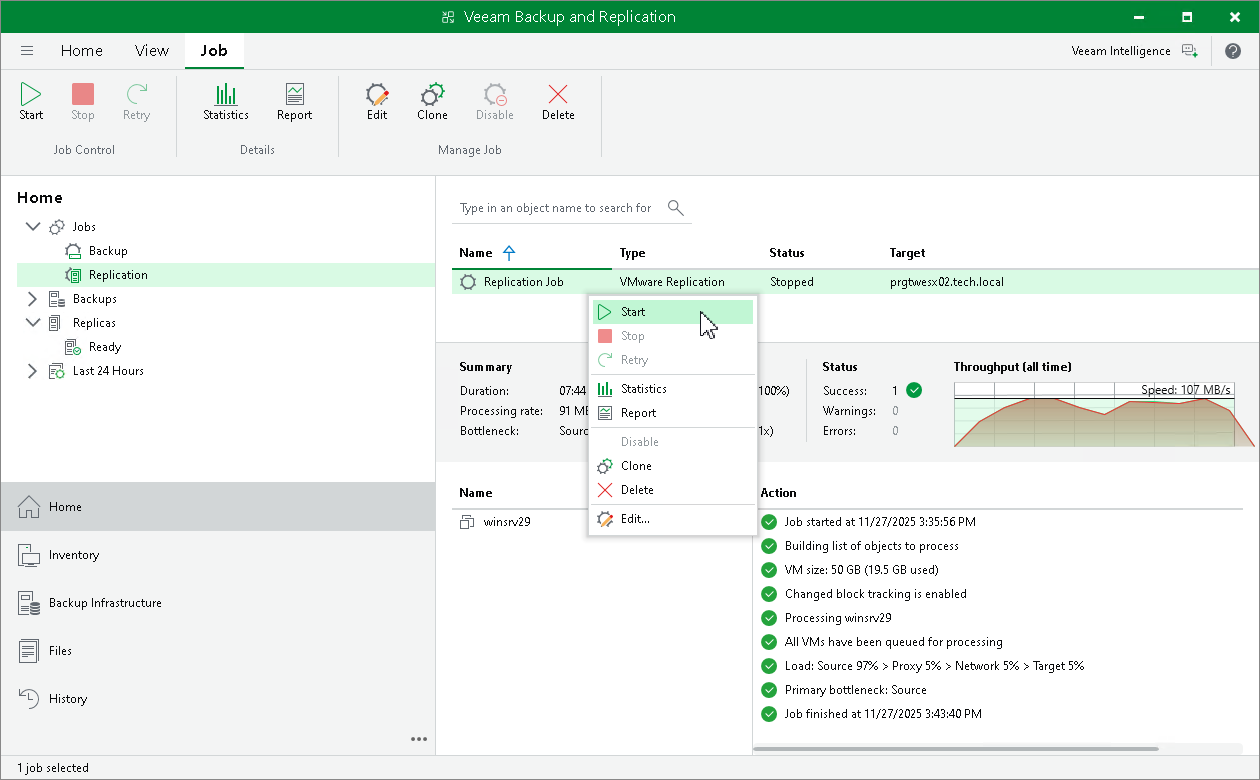
If you do not schedule a replication job, you must start it manually. To start the job, do the following:
- Open the Home view.
- In the inventory pane, select Jobs > Replication.
- In the working area, right-click the job and select Start. Wait for the job to complete. Note that the job must complete with the Success or Warning status.
- Open vSphere Client or Hyper-V Manager and make sure that a VM replica is created.