Veeam Backup & Replication UI
You can access Veeam Backup & Replication using Veeam Backup & Replication console UI or Web UI. In this guide, you will work with the Veeam Backup & Replication console.
Veeam Backup & Replication Console UI
The user interface of Veeam Backup & Replication is designed to let you quickly find commands that you need and perform data protection and disaster recovery tasks.
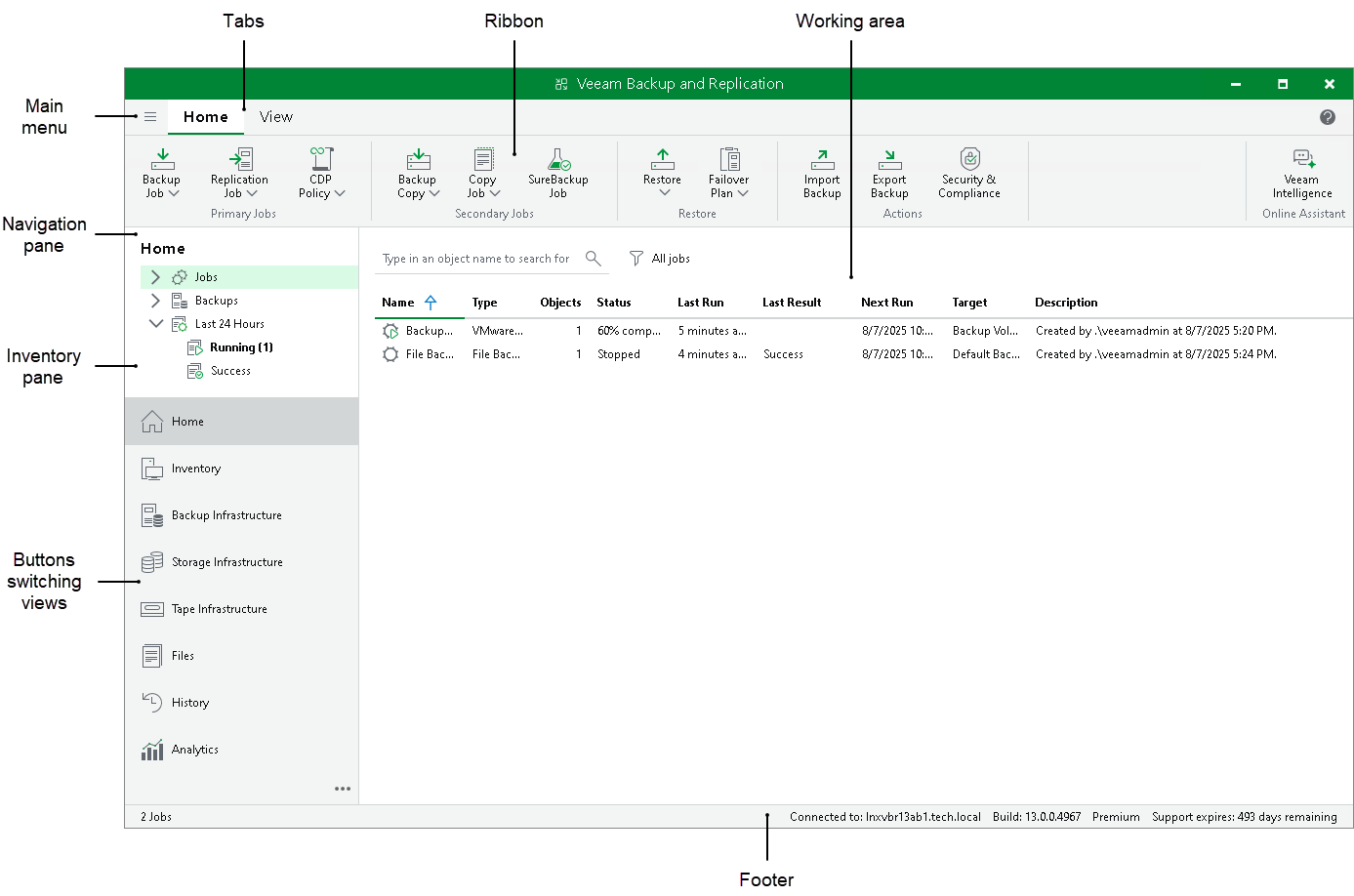
|
Tip: |
|
To open online help, press [F1] in any Veeam Backup & Replication wizard or window. You will be redirected to the corresponding section of the Veeam Backup & Replication User Guide. |
Veeam Backup & Replication Web UI
The Veeam Backup & Replication web UI is a browser-based interface that provides different data protection operations. The overall look and feel of the Veeam Backup & Replication web UI is consistent with the Veeam product family, ensuring familiarity for users of the Veeam Backup & Replication console.
|
Important |
|
Consider the following:
|
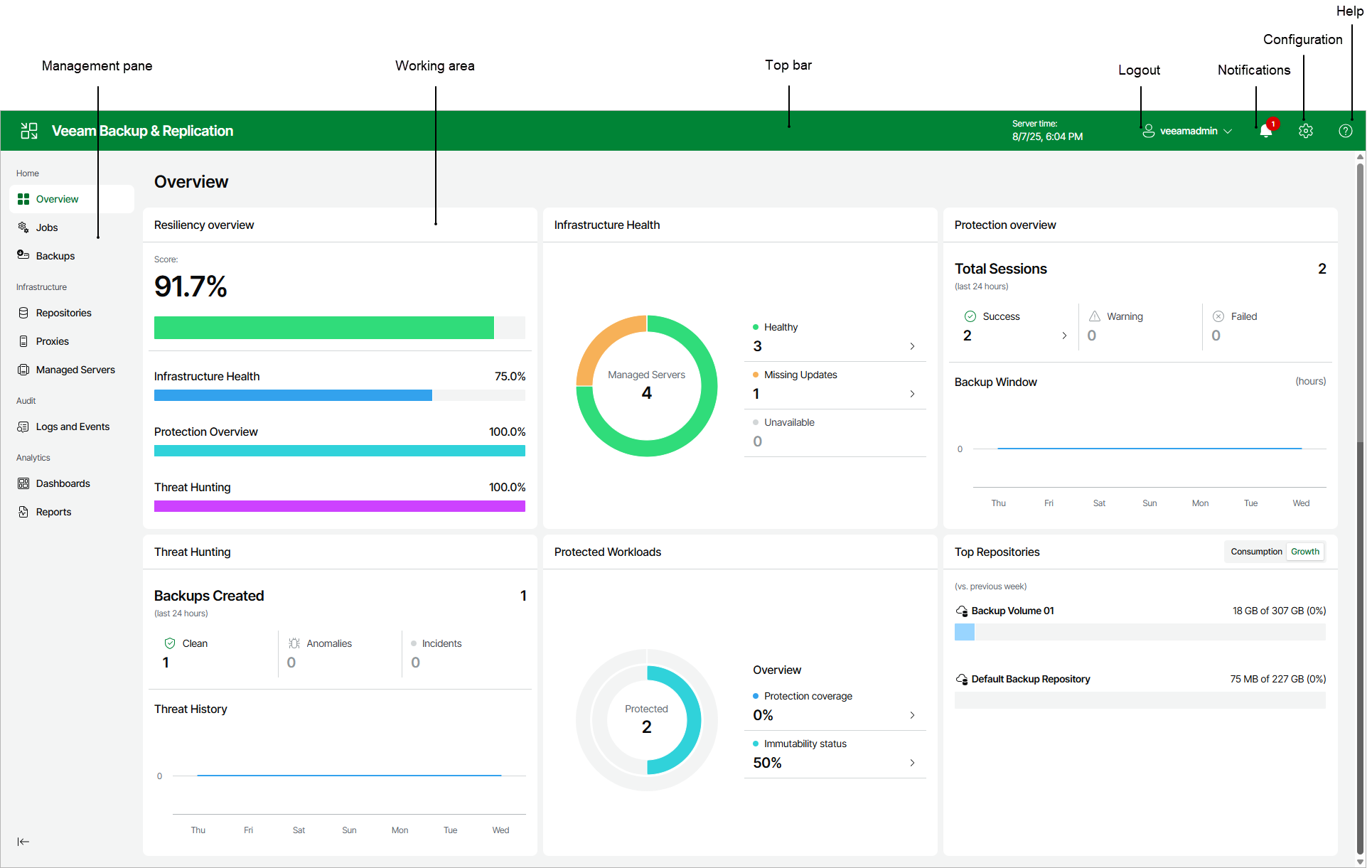
Reference
For details, see the Veeam Backup & Replication Console UI and Veeam Backup & Replication Web UI sections in the Veeam Backup & Replication User Guide.