Step 3. Adding VMware vSphere Virtual Infrastructure Servers
To protect VMware vSphere virtual machines with Veeam Backup & Replication, you must add the virtual infrastructure servers hosting these machines to the backup infrastructure.
You can add vCenter Servers and ESXi hosts. If an ESXi host is managed by a vCenter Server, it is recommended that you add the vCenter Server, not a standalone ESXi host.
Before You Begin
- Make sure that the version of your VMware vSphere platform is supported. For details, see the Platform Support section in the Veeam Backup & Replication User Guide.
- The user account used to add the server, must have root permissions on the ESXi host. For details, see the Permissions section in the Veeam Backup & Replication User Guide.
Adding Infrastructure Server
To add the server, do the following:
- In the inventory pane of the Backup Infrastructure view, right-click the Managed Servers node and select Add Server.
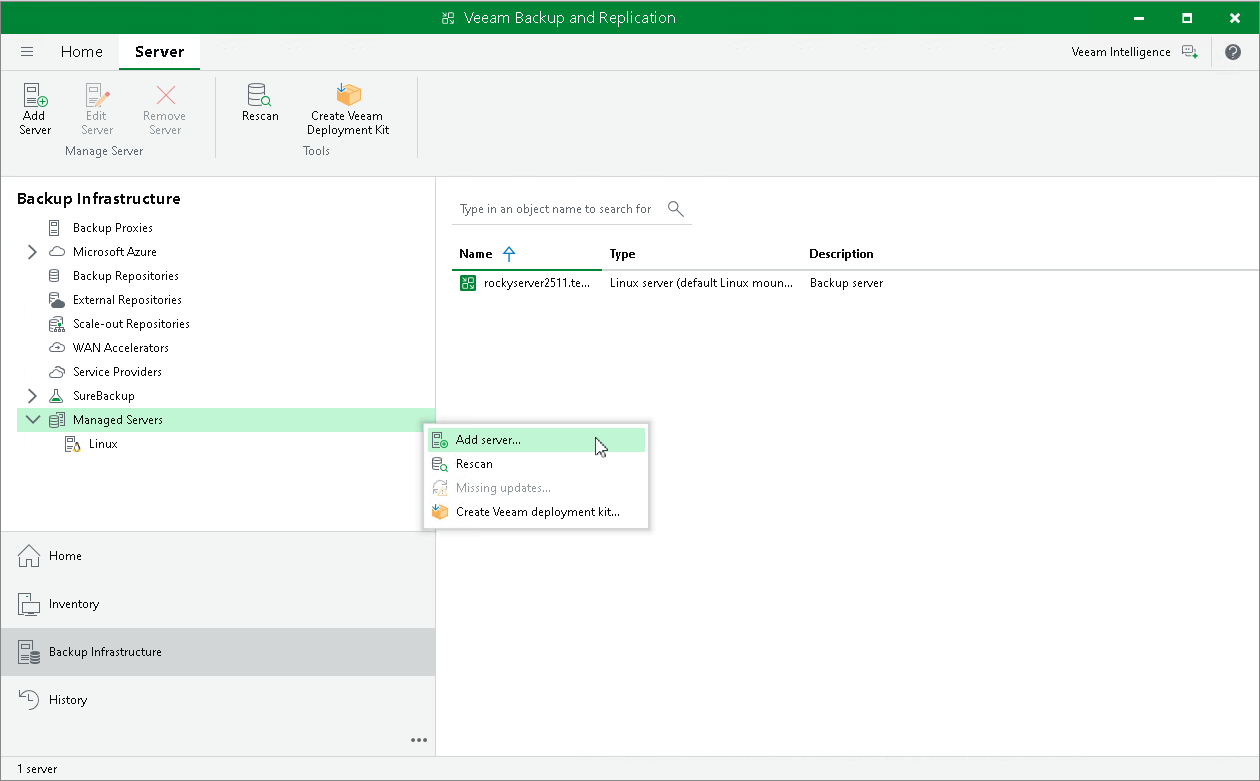
- In the Add Server window, click VMware vSphere > vSphere to launch the New VMware Server wizard.
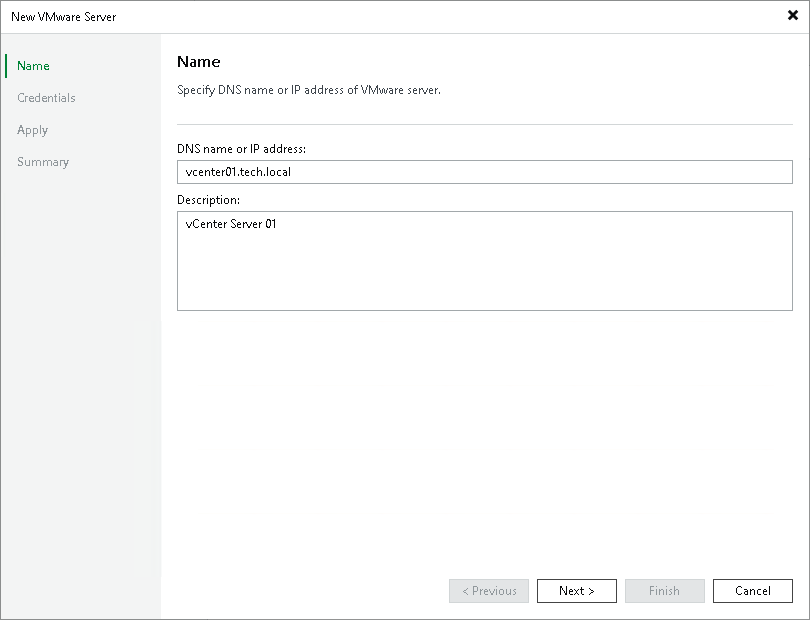
- At the Name step of the wizard, specify the DNS name or IP address of the server.
Note that you can use IPv6 addresses only if IPv6 communication is enabled as described in the IPv6 Support section in the Veeam Backup & Replication User Guide.
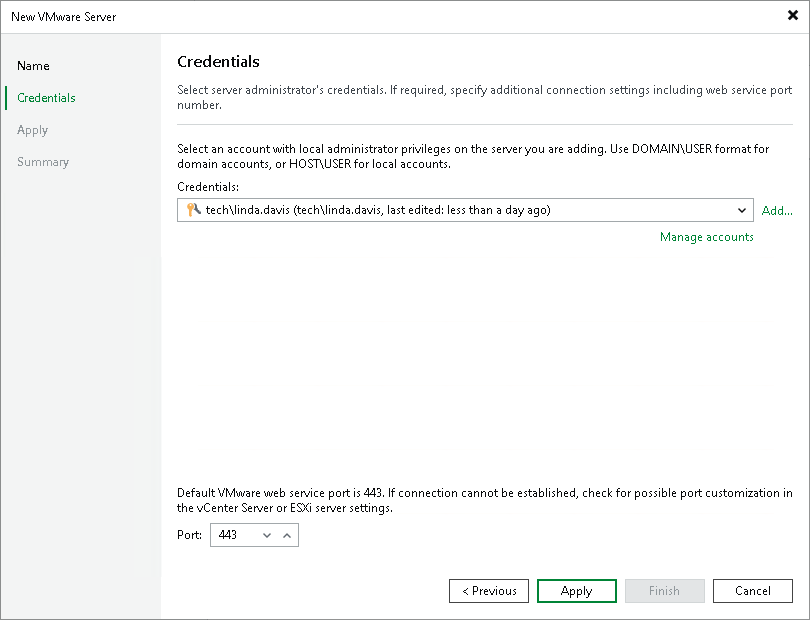
- At the Credentials step of the wizard, specify credentials for the user account with Administrator permissions on the added server.
To add the account, do the following:
- Click Add.
- In the Credentials window, specify the username and password used to connect to the added server.
- Click OK.
- Follow the next steps of the wizard. At the Summary step, click Finish.
- Open the Backup Infrastructure view and click the Managed Servers node. The added server will be available in the working area.
Reference
For details on adding virtual infrastructure servers, see the Virtualization Servers and Hosts section in the Veeam Backup & Replication User Guide.