Configuring Users and Roles
Veeam App for ServiceNow supports the following roles:
|
Role |
Description |
|---|---|
|
Location User (location_user) |
Can perform the following operations within a specific location:
The Location User role is assigned by the ServiceNow Administrator. Location scope is determined by the App Administrator or Location Administrator and includes access to specific app resources and collected data. |
|
Location Administrator (location_admin) |
Can perform the following operations within a specific location:
The Location Administrator role is assigned by the ServiceNow Administrator. Location scope is determined by the App Administrator and includes access to specific app resources and collected data. |
|
App Administrator (global_admin) |
Can perform the following administrative activities in Veeam App for ServiceNow:
The App Administrator role is assigned by the ServiceNow administrator. |
|
ServiceNow Administrator |
Can perform App Administrator operations and the following administrative activities:
|
Assigning Roles
To assign a role to a user or user group, perform the following steps:
- Log in to your ServiceNow instance as a ServiceNow Administrator.
- In the ServiceNow bar, click All > User Administration > Users or All > User Administration > Groups.
- Click the user name or user group.
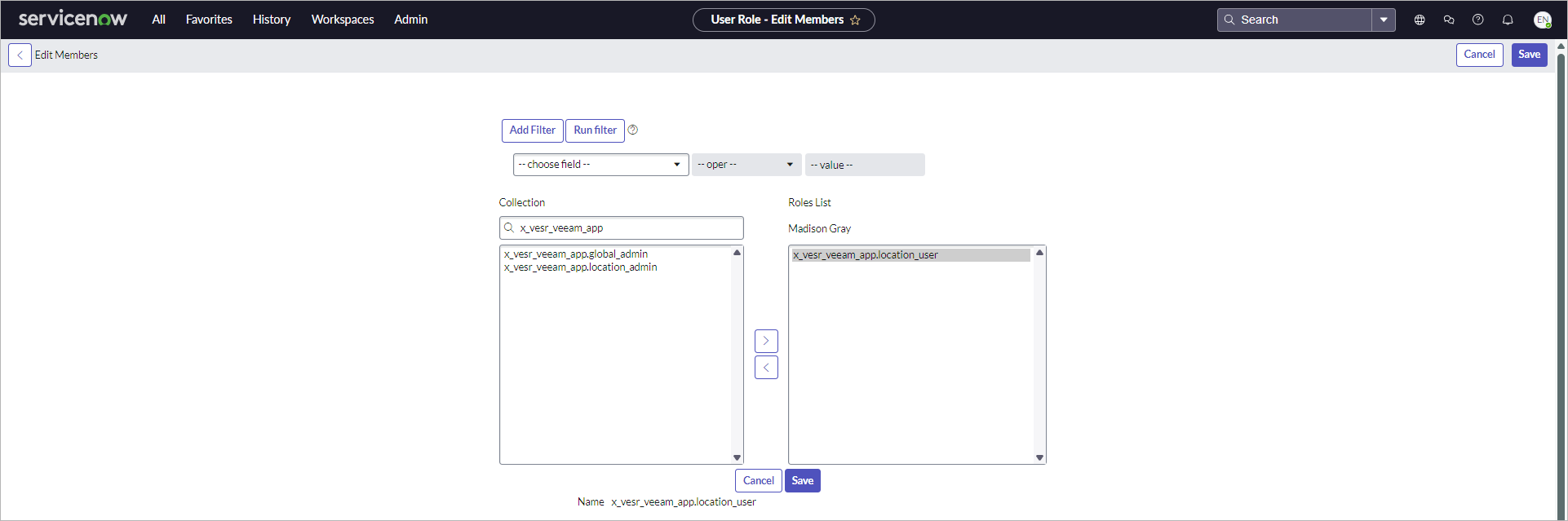
- On the Roles tab, click Edit.
- Filter the role collection by the x_vesr_veeam_app key word to display Veeam App for ServiceNow roles.
- Select the role and click Add.
- Click Save.
Managing Access to Resources
You can grant granular permissions to user groups to the following app resources:
- Backup jobs
- Backup job templates
- Schedule templates
- Data sources
- Data source templates
- Data source credentials
- Veeam Backup & Replication connections
- Backup repositories
- Service Catalog requests
- Restore sessions
The general procedure works as follows:
- Log in to your ServiceNow instance as the App Administrator or Location Administrator.
- Navigate to the required section.
- Click the resource name.
- In the User Groups field, specify a user group.
- Click Update.
For more information on managing access to specific app resources, see the following sections: