Configuring Veeam Connections
To configure integration with Veeam servers, perform the following steps:
- Log in to your ServiceNow instance as a ServiceNow Administrator.
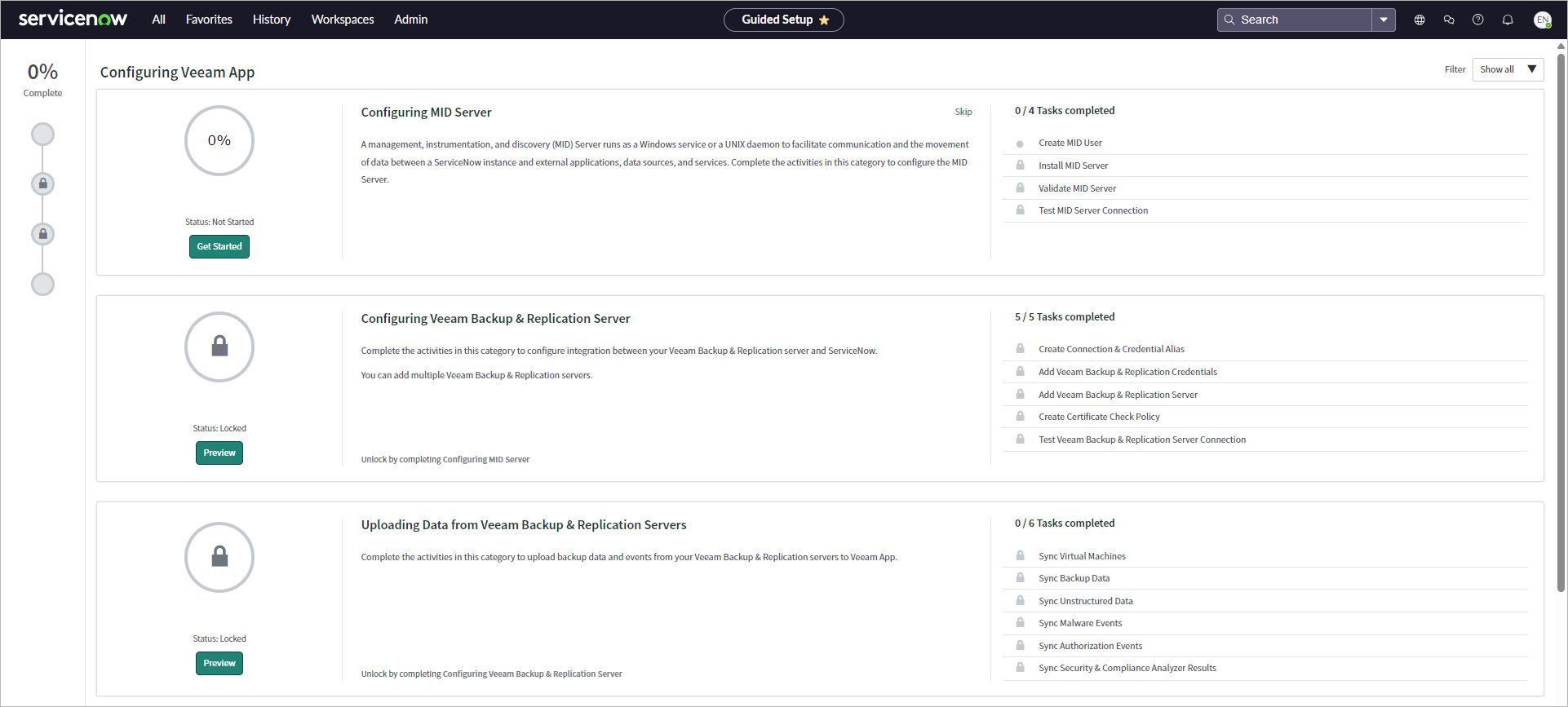
- Click All > Veeam > Configuration > Guided Setup.
- Complete the Configuring MID Server step.
- Add a connection with your Veeam server — Veeam Backup & Replication, Veeam ONE, or both.
Adding Veeam Backup & Replication Connection Adding Veeam ONE Connection Complete the Configuring Veeam Backup & Replication Server step:
- Create a connection & credential alias for your Veeam Backup & Replication credentials.
- Add credentials you use to connect to the Veeam Backup & Replication server.
- Add the Veeam Backup & Replication server.
- Create a certificate check policy for ServiceNow to trust the Veeam Backup & Replication server certificate.
- Test a connection between ServiceNow and your Veeam Backup & Replication server.
- Add multiple Veeam Backup & Replication connections if required.
You can also add, edit or delete Veeam Backup & Replication connections later in the Veeam > Configuration > VBR Connections section. For more information, see Managing Veeam Backup & Replication Connections.
Before you add a Veeam ONE connection, add a ServiceNow instance where you installed Veeam App for ServiceNow to your Veeam ONE server settings. For more information, see ServiceNow Integration in the Veeam ONE User Guide.
Complete the Configuring Veeam ONE Server step:
- Add credentials you use to connect to the Veeam ONE server.
- Add the Veeam ONE server.
- Create a certificate check policy for ServiceNow to trust the Veeam ONE server certificate.
- Test a connection between ServiceNow and your Veeam ONE server.
- Add multiple Veeam ONE connections if required.
You can also add, edit or delete Veeam ONE connections later in the Veeam > Configuration > Veeam ONE Connections section. For more information, see Managing Veeam ONE Connections.
- To upload initial data, complete the Uploading Data from Veeam Servers step.