Configuring Data Source Templates
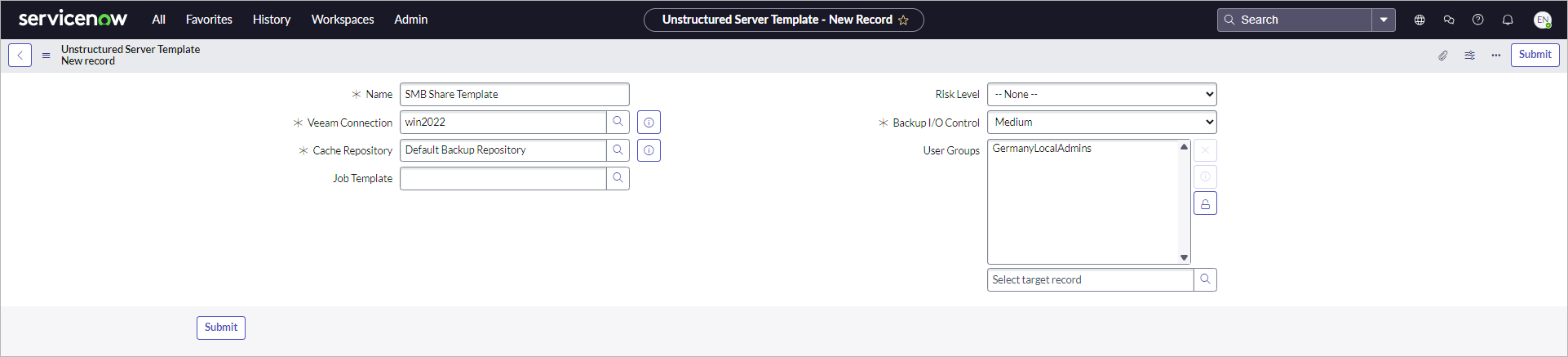
To add data sources in Veeam App for ServiceNow, you need to configure a template for a file server or an SMB file share. To do this, perform the following steps:
- Click All > Veeam > Unstructured Data > Data Source Templates.
- Click New.
- Specify the name of the template.
- In the Veeam Connection field, select the Veeam Backup & Replication server on which you plan to create unstructured data sources with this template.
- Specify a cache repository and a backup I/O control level. For more information about these settings, see the Specify File Server Processing Settings and Specify File Share Processing Settings sections in the Veeam Backup & Replication User Guide.
- To allow a specific user group to use this template, unlock the User Groups field and select a user group from the list.
- Click Submit.