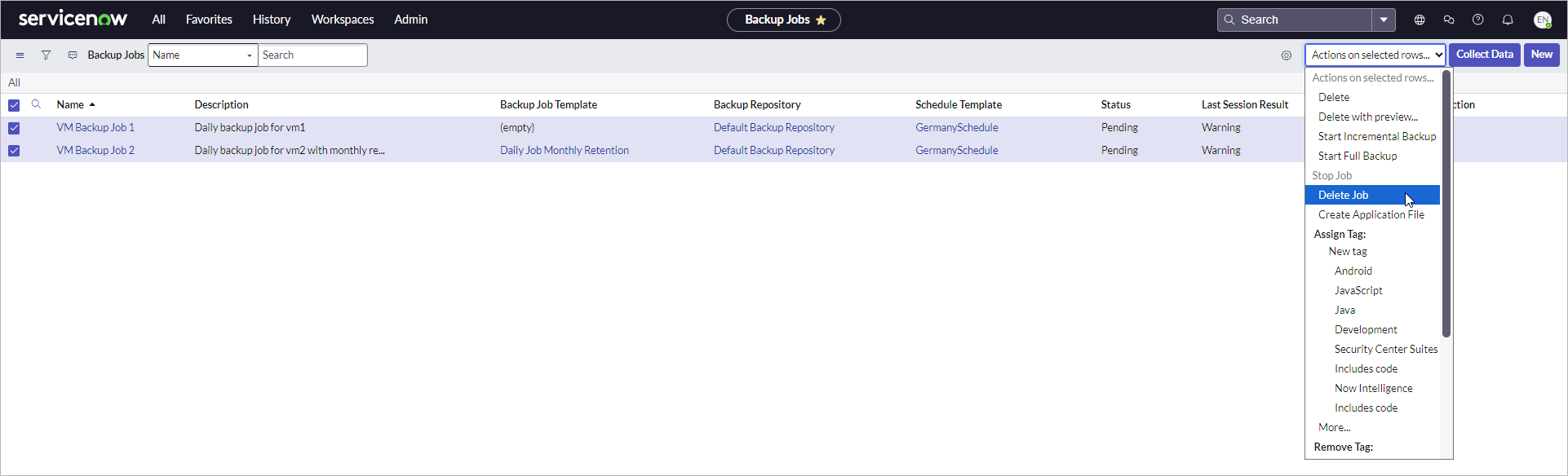
Deleting VM Backup Jobs
To delete a VM backup job, perform the following steps:
- Click All > Veeam > Virtual Machines > Jobs.
- Select one or more jobs from the list.
- From the Actions on selected rows drop-down list, select one of the following options:
- Delete — deletes jobs only from Veeam App for ServiceNow.
- Delete Job — deletes jobs both from Veeam App for ServiceNow and Veeam Backup & Replication.
- Confirm the operation.