Running File Backup Jobs
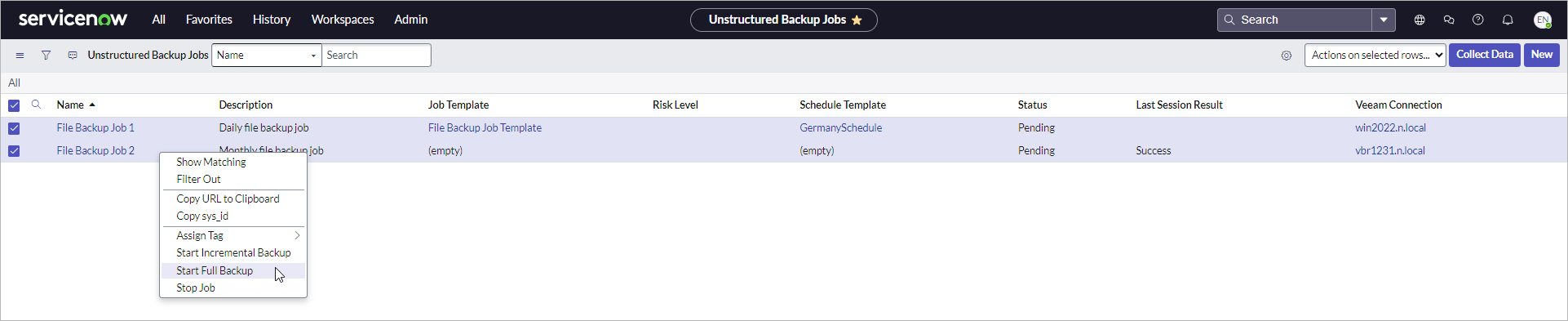
To run a file backup job manually, perform the following steps:
- Click All > Veeam > Unstructured Data > Jobs.
- To run a full backup or incremental backup session, do one of the following:
- Right-click the job and click Start Full Backup or Start Incremental Backup.
- Select one or more jobs from the list. Then, in the Actions on selected rows drop-down list, select Start Full Backup or Start Incremental Backup.
To stop a file backup job, do one of the following:
- Right-click the job and click Stop Job.
- Select one or more jobs from the list. Then, in the Actions on selected rows drop-down list, select Stop Job.