Deleting Credentials
To delete data source credentials, perform the following steps:
- Click All > Veeam > Unstructured Data > Data Source Credentials.
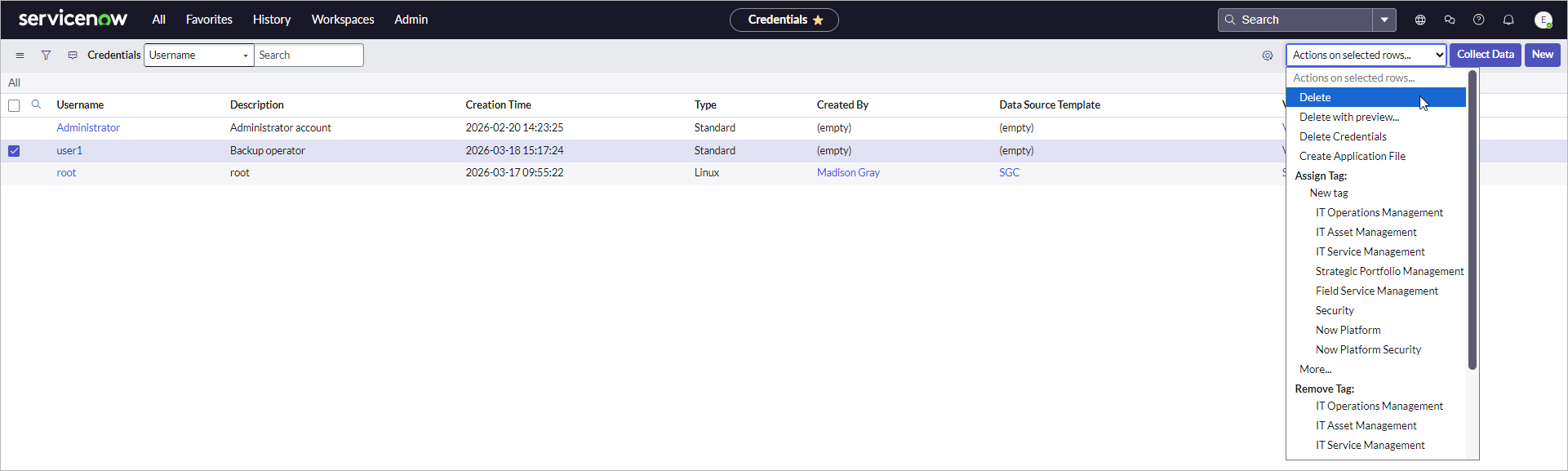
- Select one or more credentials from the list.
- From the Actions on selected rows drop-down list, select one of the following options:
- Delete — deletes credentials only from Veeam App for ServiceNow.
- Delete Credentials — deletes credentials both from Veeam App for ServiceNow and Veeam Backup & Replication.
- Confirm the operation.