This is an archive version of the document. To get the most up-to-date information, see the current version.
Viewing Events with Mac Notification Center
You can configure Veeam Agent to send notifications through the Mac Notification Center.
Enabling and Disabling Veeam Agent Notifications
When you launch Veeam Agent for Mac for the first time after installation, Veeam Agent will offer to configure Veeam Agent notifications.
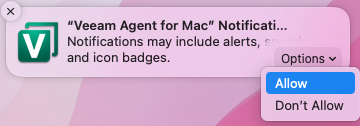
To enable desktop notifications, hover over the "Veeam Agent for Mac" Notifications message and select Options > Allow.
Alternatively, you can enable and disable Veeam Agent notifications in the system settings of the Mac computer. For details, see Apple documentation.
Viewing Veeam Agent Notifications
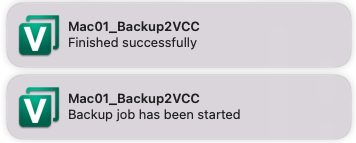
After you enable the notifications, Veeam Agent will display information on the following events:
- Backup job was launched.
- Backup job got a warning during backup session.
- Backup job finished successfully.
- Backup job failed.
Once an event occurs, a message notifying about this event will appear in the notification center.