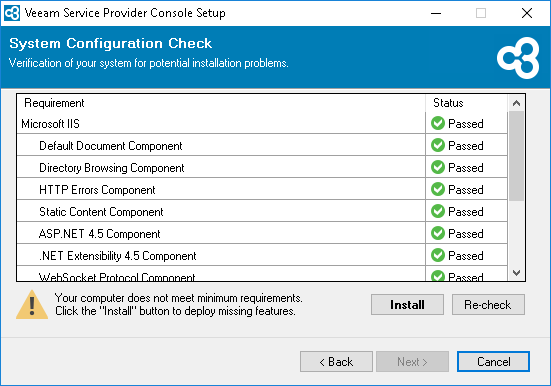
Step 6. Perform System Configuration Check
At the System Configuration Check step of the wizard, the installer will perform a system configuration check to determine if all prerequisite software is available on the machine. To learn what software is required for Veeam Service Provider Console, see System Requirements.
If some of the required software components are missing, the setup wizard will install the missing software components and enable missing features automatically.