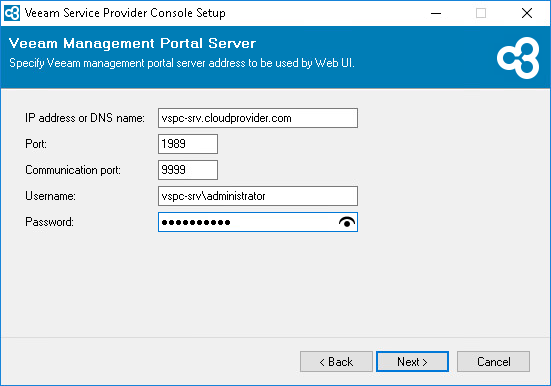
Step 5. Configure Connection to Server Component
At the Veeam Management Portal Server step of the wizard, specify settings that the Web UI component must use to connect to the Server component:
- In the IP address or DNS name field, specify an FQDN or IP address of a machine on which you have installed the Veeam Service Provider Console Server component.
- In the Communication port field, type the number of a port that the Web UI component of the file-level restore plugin will use to communicate with the Server component of the plugin. The port number must be equal to the Veeam Service Provider Console Server communication port number.
The default port number is 9999.
- In the Management port field, type the number of a port that the Web UI component will use to communicate with the Server component.
The default port number is 1989.
- In the Plugins communication port field, type a number of the port that will be used to interact with ConnectWise Manage plugin.
The default port number is 9996.
- In the Username and Password fields, type credentials of the account under which Veeam Service Provider Console Web UI component will connect to the Server component.
The account must have local Administrator permissions on the machine where Veeam Service Provider Console Server component is installed.