Step 11. Specify Ports
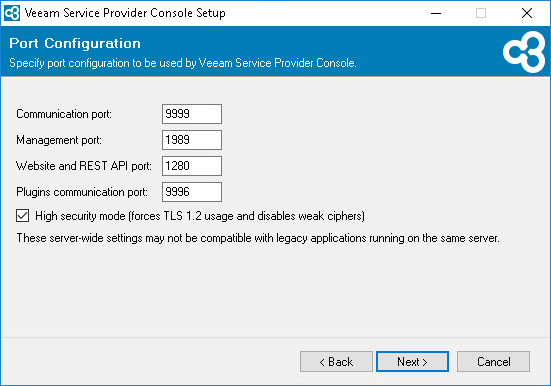
At the Port Configuration step of the wizard, specify port configuration:
- In the Communication port field, type a number of the port on the Veeam Service Provider Console machine that will be used to collect data from cloud gateways and Veeam Cloud Connect server.
The default port number is 9999.
- In the Management port field, type a number of the port that the Veeam Service Provider Console Web UI component will use to communicate with the Server component.
The default port number is 1989.
- In the Web site and REST API port field, type a number of the port that will be used to access the Veeam Service Provider Console website through a web browser and to interact with the Veeam Service Provider Console REST API.
The default port number is 1280.
- In the Plugins communication port field, type a number of the port that will be used to interact with ConnectWise Manage plugin.
The default port number is 9996.
- To enforce TLS 1.2 encryption protocol for communication between the components, select the High security mode check box.
|
Important! |
|
The High security mode option disables the following Windows Registry settings:
This may interfere with the operation of 3rd party software installed on the same machine. |