Downloading Tenant Data from Capacity Tier
The SP can download tenant data that was offloaded to an object storage repository back to the on-premises extents of a scale-out backup repository. Veeam Backup & Replication lets the SP download all offloaded tenant backups at once. Downloaded backups remain in the performance tier and cannot be moved back to the capacity tier.
|
Note |
|
The procedure to download tenant backup files from the capacity tier is supported only for unencrypted backups. |
To download tenant data from capacity tier to performance tier:
- Open the Cloud Connect view.
- In the inventory pane, click the Tenants node.
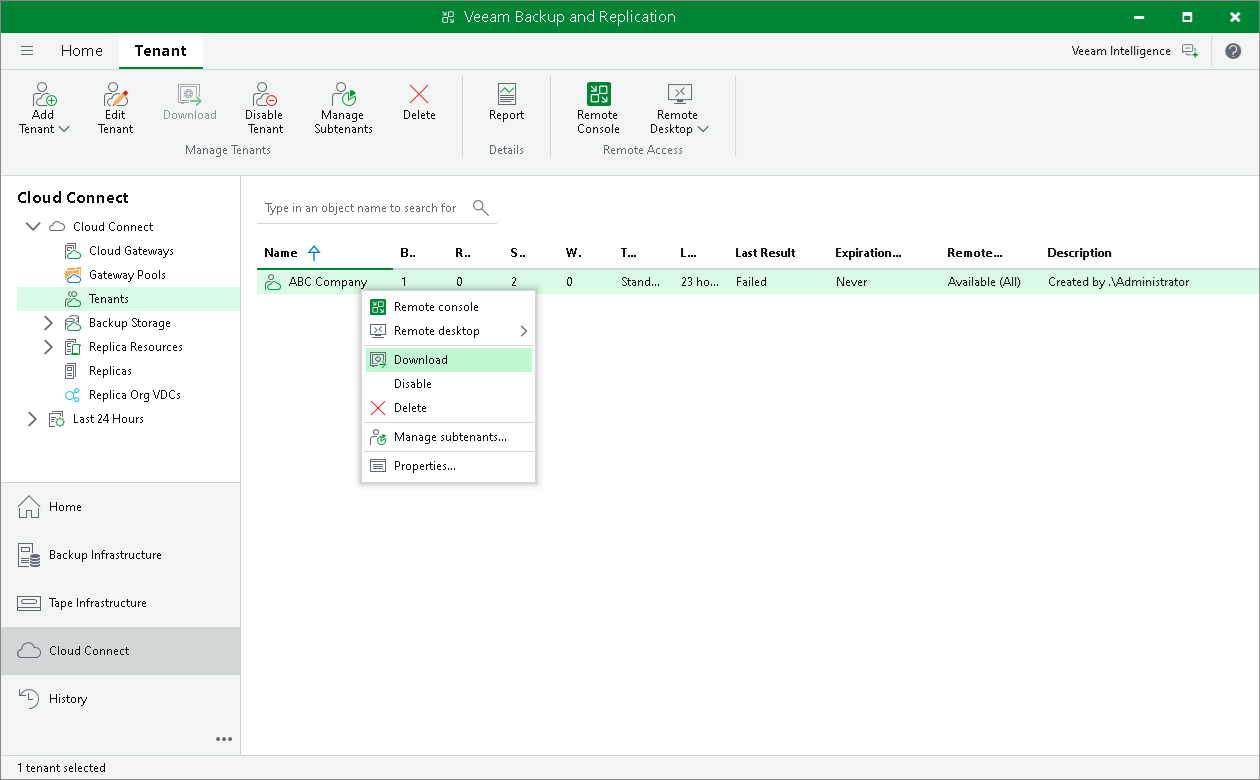
- In the working area, select the necessary tenant and click Download on the ribbon or right-click the tenant and select Download.
- In the displayed window, select what backup files you want to download from the capacity tier to the on-premises extents:
- Click All Backups to download all tenant backup files.
- Click Latest Only to download tenant backup files pertaining to the latest backup chain only.
- In the SOBR Download window, monitor the progress of the download operation and click OK.