Performing Instant Recovery from Tenant Backups
The SP can perform Instant Recovery for tenant workloads, that is, recover workloads from tenant backups in the cloud repository to the following platforms:
- VMware vSphere
- Microsoft Hyper-V
Before you perform Instant Recovery, check prerequisites and limitations. For details, see Instant Recovery from Tenant Backups.
To perform Instant Recovery:
- In the SP backup console, launch the Instant Recovery wizard.
- Open the Home view.
- In the inventory pane, click the Backups node.
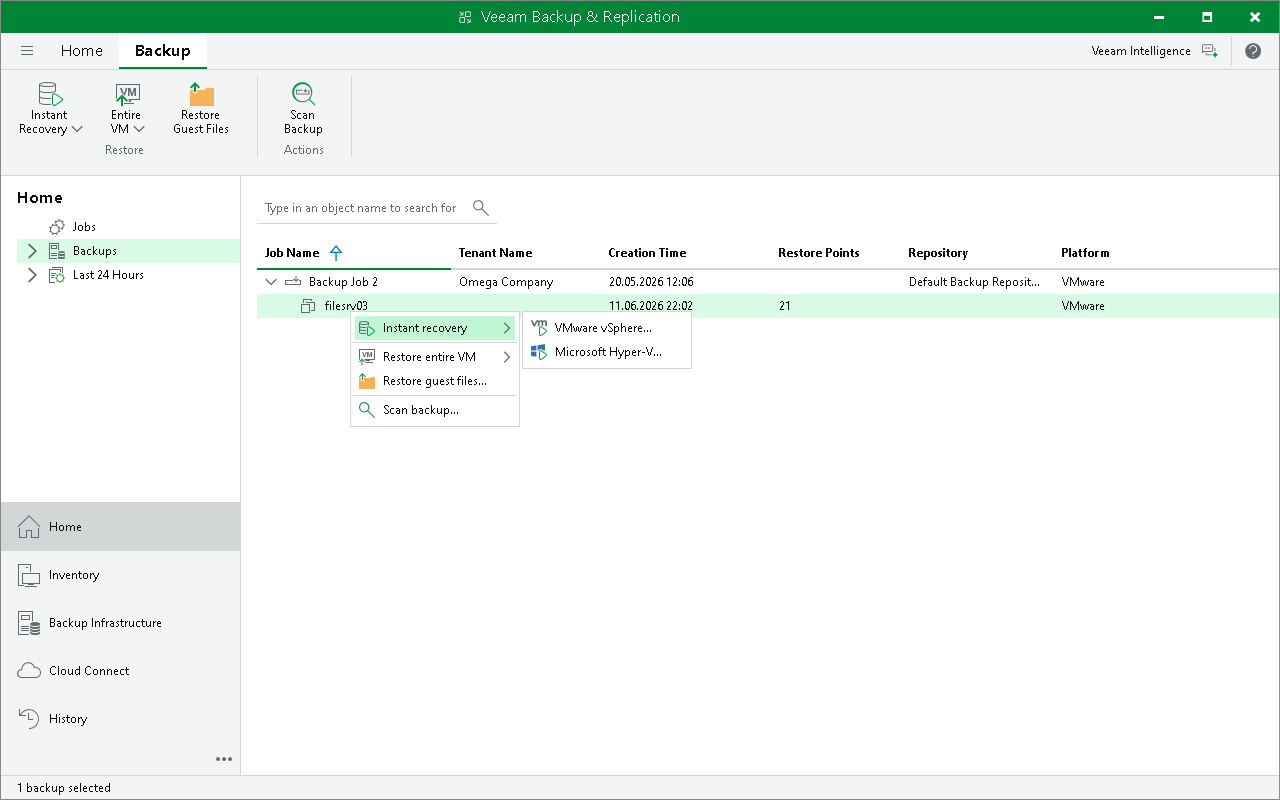
- In the working area, click the backup whose data you want to restore to and click Instant Recovery on the ribbon or right-click the necessary backup and select Instant recovery.
To select multiple backups, press and hold the [CTRL] key, and then click or right-click the necessary backups.
- Then select the target platform.
- Follow the steps of the Instant Recovery wizard.
The Instant Recovery procedure for tenant backups is similar to the same procedure in the regular Veeam Backup & Replication infrastructure. The difference is that you cannot recover tenant backups to their original location.
- [For Instant Recovery to VMware vSphere] Instant Recovery in the Veeam Cloud Connect infrastructure is performed to a VMware vSphere VM on the SP virtualization host. Thus, in this scenario the Instant Recovery to VMware vSphere wizard does not include the Restore Mode step.
To get a detailed description of all Instant Recovery options, see the Performing Instant Recovery to VMware vSphere Using Console section in the Veeam Backup & Replication User Guide.
- [For Instant Recovery to Microsoft Hyper-V] Instant Recovery in the Veeam Cloud Connect infrastructure is performed to a Microsoft Hyper-V VM on the SP virtualization host. Thus, in this scenario the Instant Recovery to Microsoft Hyper-V wizard does not include the Recovery Mode step.
To get a detailed description of all Instant Recovery options, see the Performing Instant Recovery to Microsoft Hyper-V Using Console section in the Veeam Backup & Replication User Guide.