This is an archive version of the document. To get the most up-to-date information, see the current version.
Viewing Organization Configurations
In Veeam Backup Enterprise Manager, users with the Portal Administrator role can view the list of configurations for VMware Cloud Director organizations.
To view the list of organization configurations:
- Log in to Veeam Backup Enterprise Manager using an administrative account.
- Click Configuration in the top right corner.
- In the Configuration view, select the Self-service section.
- In the Self-service section, select the Cloud Director tab.
Veeam Backup Enterprise Manager offers a default configuration that you can use for Cloud Director organizations. The configuration is applied to each organization that does not have a specific configuration added for it.
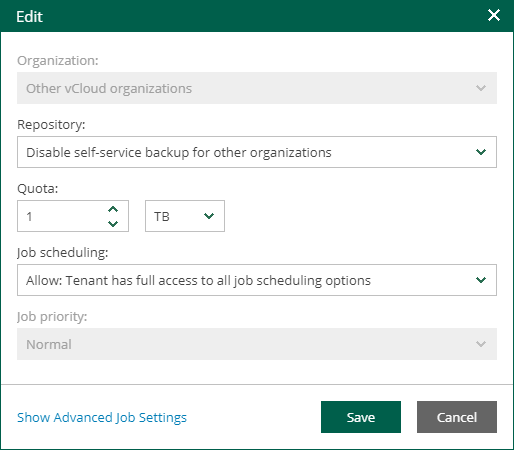
The default configuration contains the following parameters:
- Organization — Other VMware Cloud Director organizations
- Repository — Disable self-service backup for other organizations
Initially the default configuration is not active. To enable it, select a repository for the configuration.
- Quota — 1 TB
- Job scheduling — Allow: Tenant has full access to all job scheduling
- Job priority — Normal
For more information on configuration parameters, see Adding Organization Configuration.