This is an archive version of the document. To get the most up-to-date information, see the current version.
Step 6. Select Folder
In this article
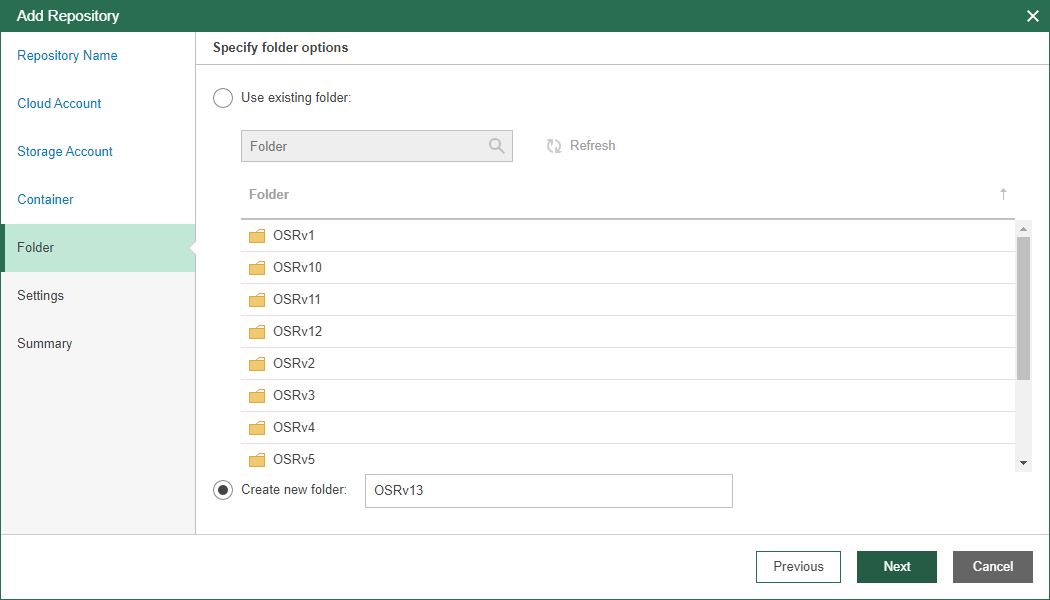
At the Folder step of the wizard, select a folder in which you want to store created backups. You can select an existing folder or create a new one.
- Select the Use existing folder option and select an existing folder that you want to use to store backups. Use the search field to find a folder you need.
If the selected folder already contains backups, you will be prompted whether to import these backups to the configuration database or not. When you import backups, you will be able to restore data from these backups, as described in Data Restore.
If you cannot see some of the existing folders in the list, click Refresh.
- Select the Create new folder option and enter a new folder name.