
 This is an archive version of the document. To get the most up-to-date information, see the current version.
Changing Password
In this article
Veeam Backup for Microsoft Azure allows you to change the password for the backup account.
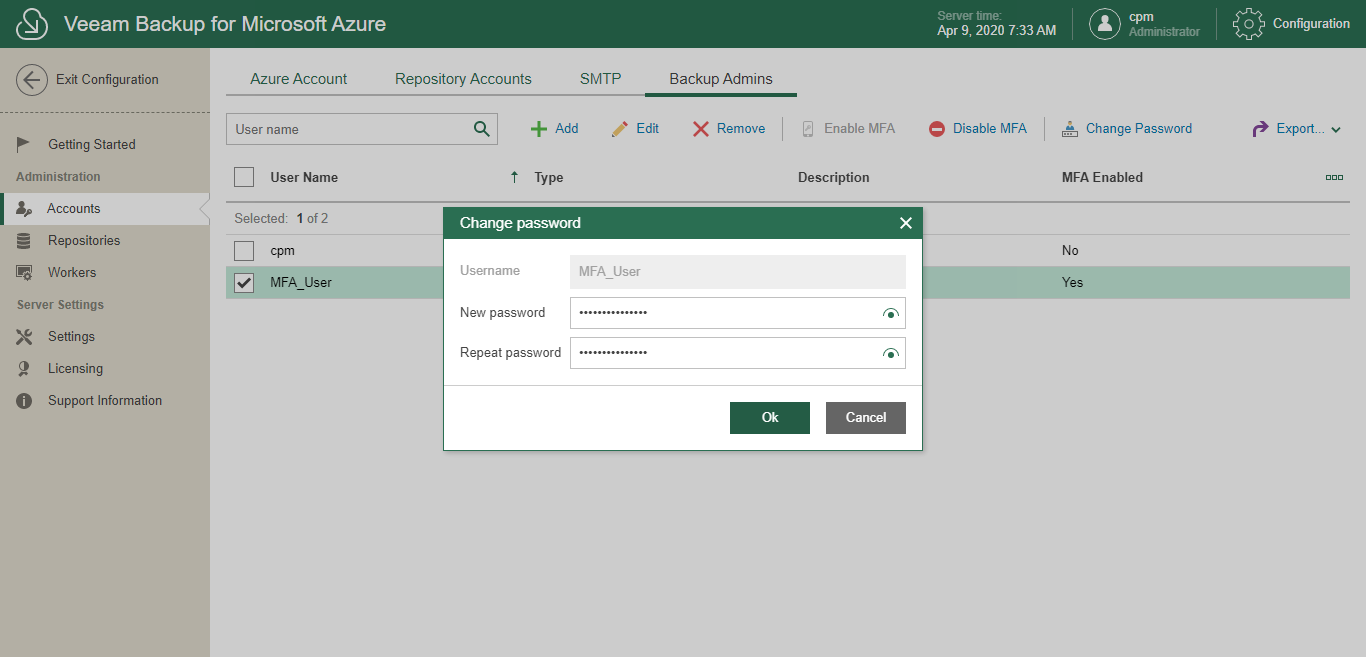
To change the password, do the following:
- In the System Menu, click Configuration.
- In the inventory pane, in the Administration section, select Accounts.
- Open the Backup Admins tab.
- Select an account.
- Click Change Password.
Veeam Backup for Microsoft Azure will display the Change Password window.
- In the Change Password window, do the following:
- In the New password field, enter a new password.
- In the Repeat password field, reenter the password.
- Click OK.
Related Topics