
 This is an archive version of the document. To get the most up-to-date information, see the current version.
Removing Manual Snapshots
In this article
To remove manual snapshots, do the following:
- In the inventory pane, in the Management section, click Protected Data.
- In the Restore Points column, click the link of the VM.
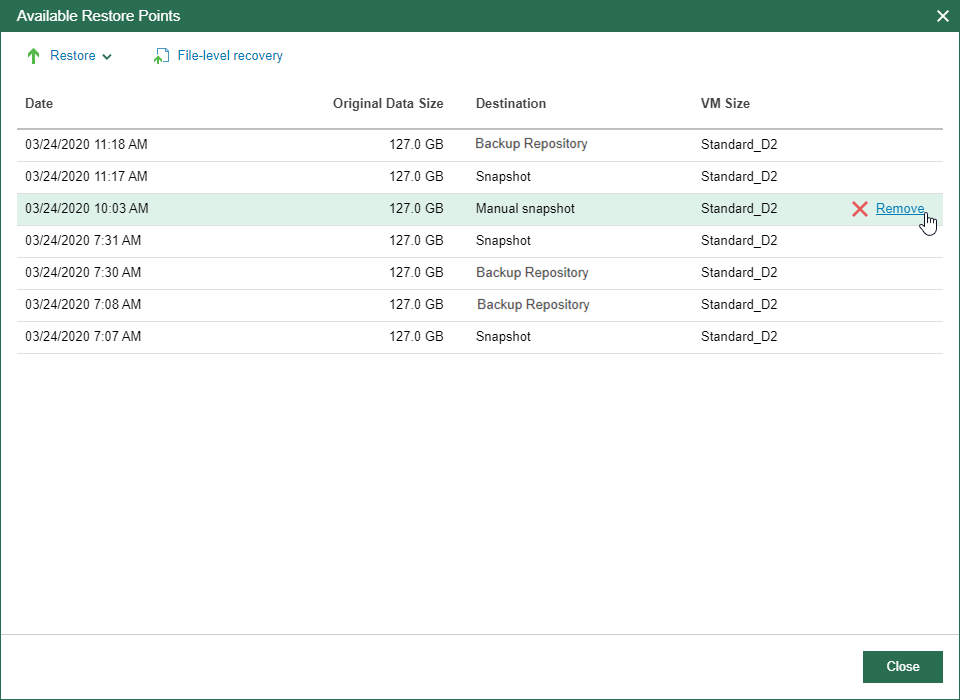
- In the Available Restore Points window, find manual snapshots that you want to remove and click Remove.
Related Topics