This is an archive version of the document. To get the most up-to-date information, see the current version.
Removing Backup Policies
In this article
You can permanently remove a backup policy from the Veeam Backup for Microsoft Azure infrastructure. When you remove a backup policy, cloud-native snapshots and/or image-level backups created by this backup policy remain intact in Microsoft Azure.
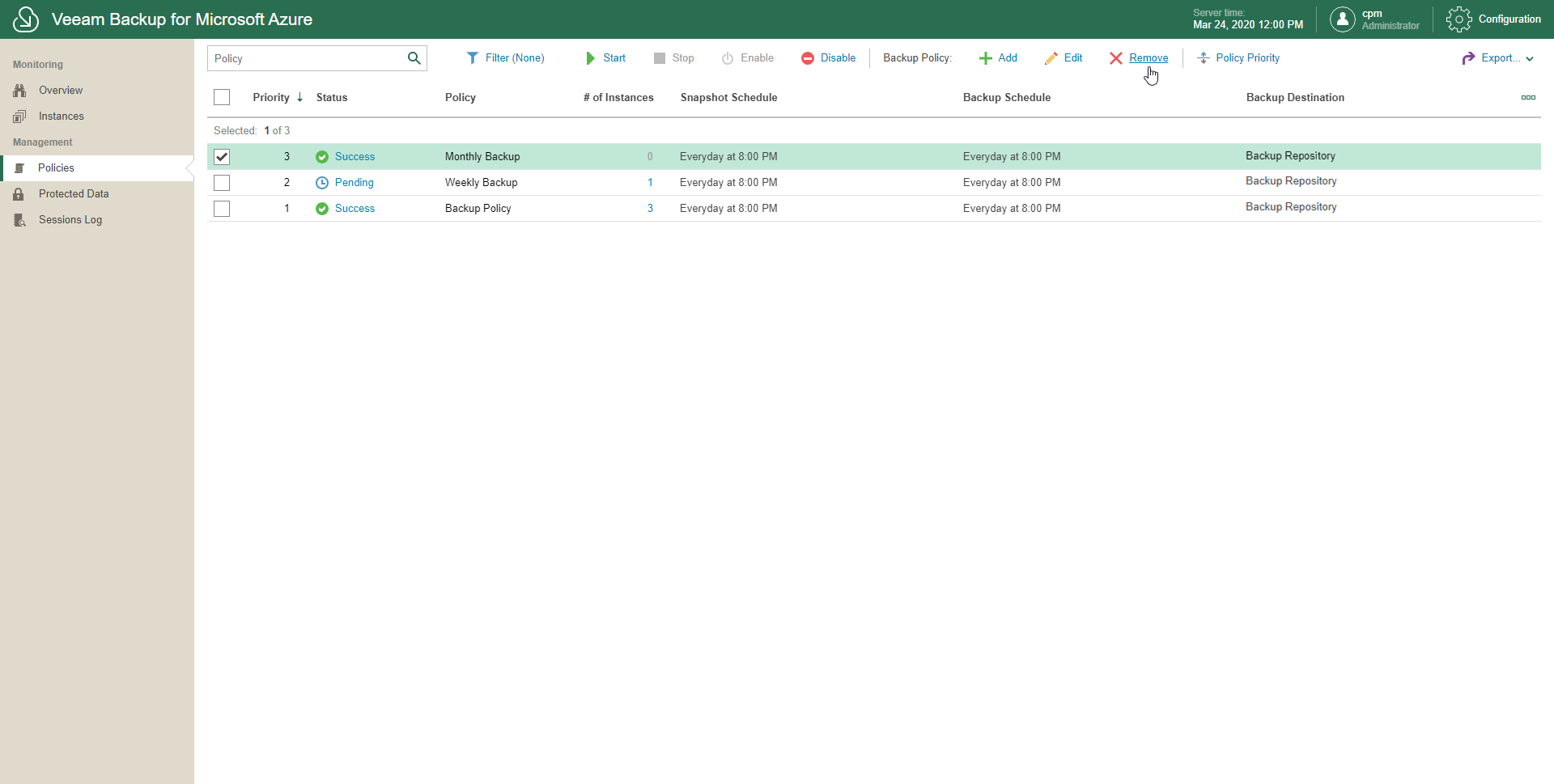
To remove a backup policy, do the following:
- In the inventory pane, in the Management section, click Policies.
- Select one or more backup policies.
Use the search field at the top to find records you need.
- Click Remove.