
 This is an archive version of the document. To get the most up-to-date information, see the current version.
Downloading Files and Folders
In this article
With the File Level Recovery for Veeam Backup browser, you can download files and folders from backups to a local computer as a .zip archive.
To download files and folders from backups, do the following:
- Open the File Level Recovery for Veeam Backup browser.
For more information, see Opening File Level Recovery Browser.
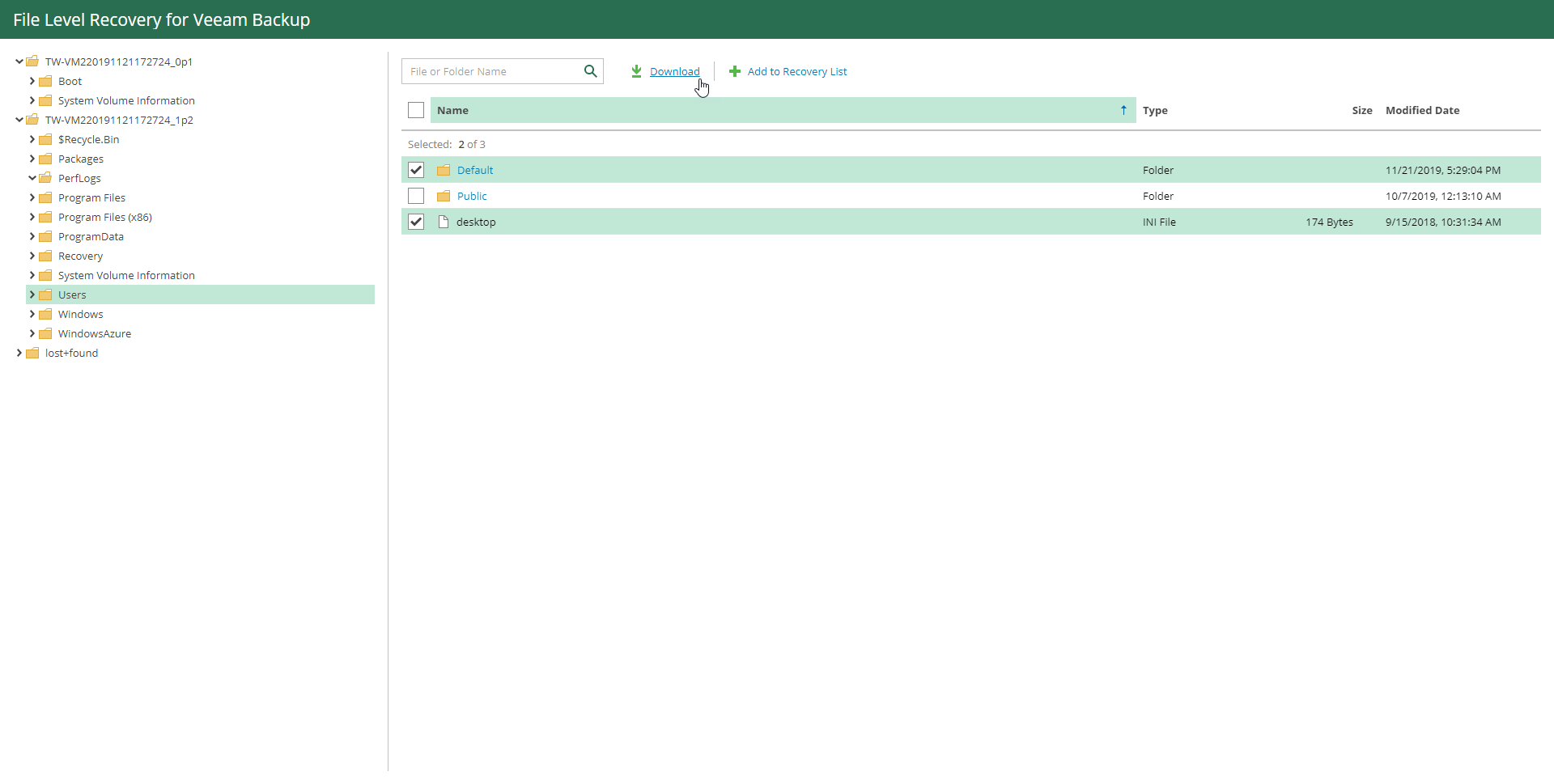
- In the inventory pane, select a folder that contains files or sub-folders that you want to download.
- Select files or folders that you want to download.
You can use the search field at the top to find files and folders you need.
- Click Download.
Related Topics