
 This is an archive version of the document. To get the most up-to-date information, see the current version.
Disabling MFA
In this article
Veeam Backup for Microsoft Azure allows you to disable multi-factor authentication (MFA) for users if you no longer want to use it.
For more information about multi-factor authentication, see this Microsoft article.
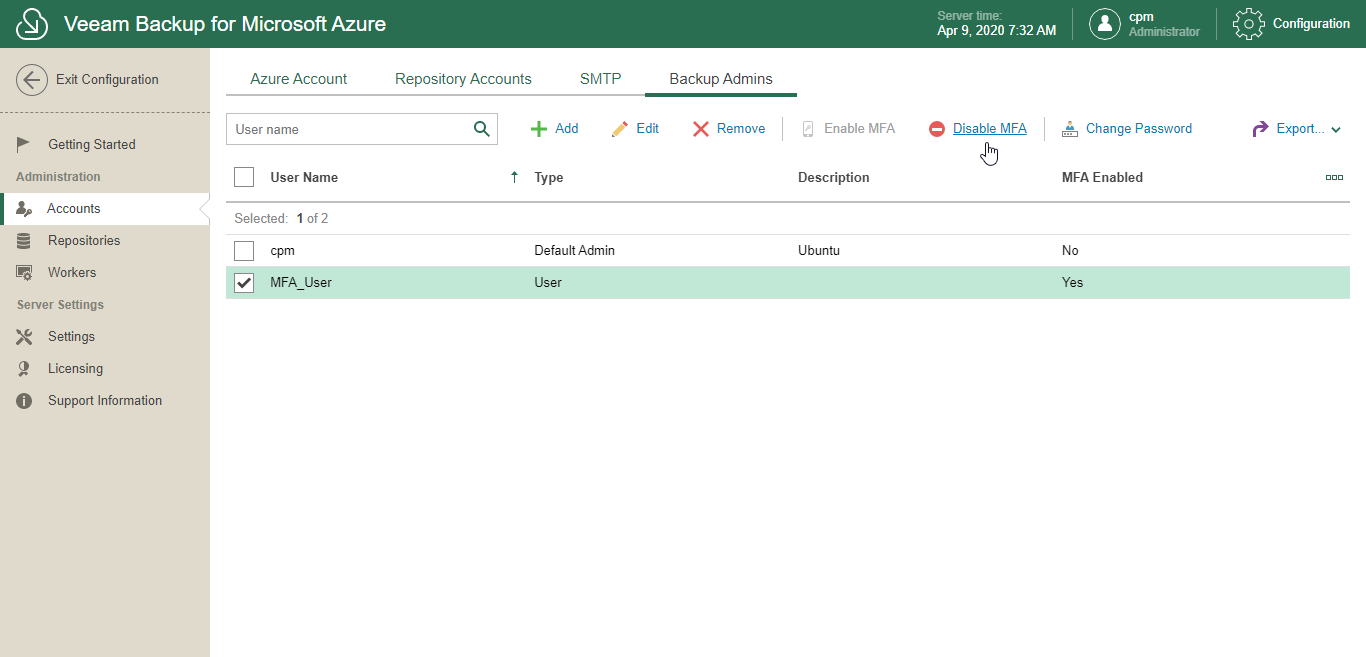
To disable milti-factor authentication, do the following:
- In the System Menu, click Configuration.
- In the inventory pane, in the Administration section, select Accounts.
- Open the Backup Admins tab.
- Select an account.
- Click Disable MFA and confirm the action.
Related Topics