This is an archive version of the document. To get the most up-to-date information, see the current version.
Changing Priority of Backup Policies
In this article
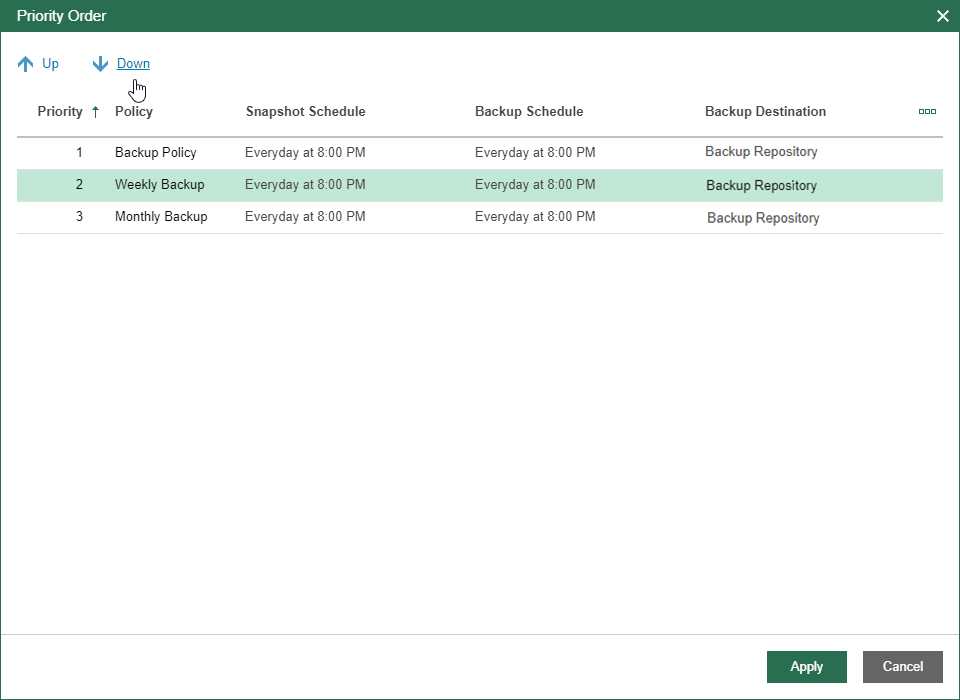
Veeam Backup for Microsoft Azure allows you to set the priority for backup policies. If a Microsoft Azure VM is included into several backup policies, it will be processed only by one backup policy that has the highest priority.
To set the priority of a backup policy, do the following:
- In the inventory pane, in the Management section, click Policies.
- Click Policy Priority.
- In the Priority Order window, select a backup policy and click Up or Down.
The Up command sets a higher priority for the selected backup policy. The Down command sets a lower priority for the selected backup policy.