This is an archive version of the document. To get the most up-to-date information, see the current version.
Configuring Retention Settings
In this article
You can configure global retention settings — set the time period for which Veeam Backup for Microsoft Azure must keep the following data:
Veeam Backup for Microsoft Azure automatically removes snapshots that exceed the specified period.
Veeam Backup for Microsoft Azure stores records on performed sessions in the configuration database. You can define the number of days for which session records must be kept.
To configure global retention settings, do the following:
- In the System Menu, click Configuration.
- In the inventory pane, in the Server Settings section, select Settings.
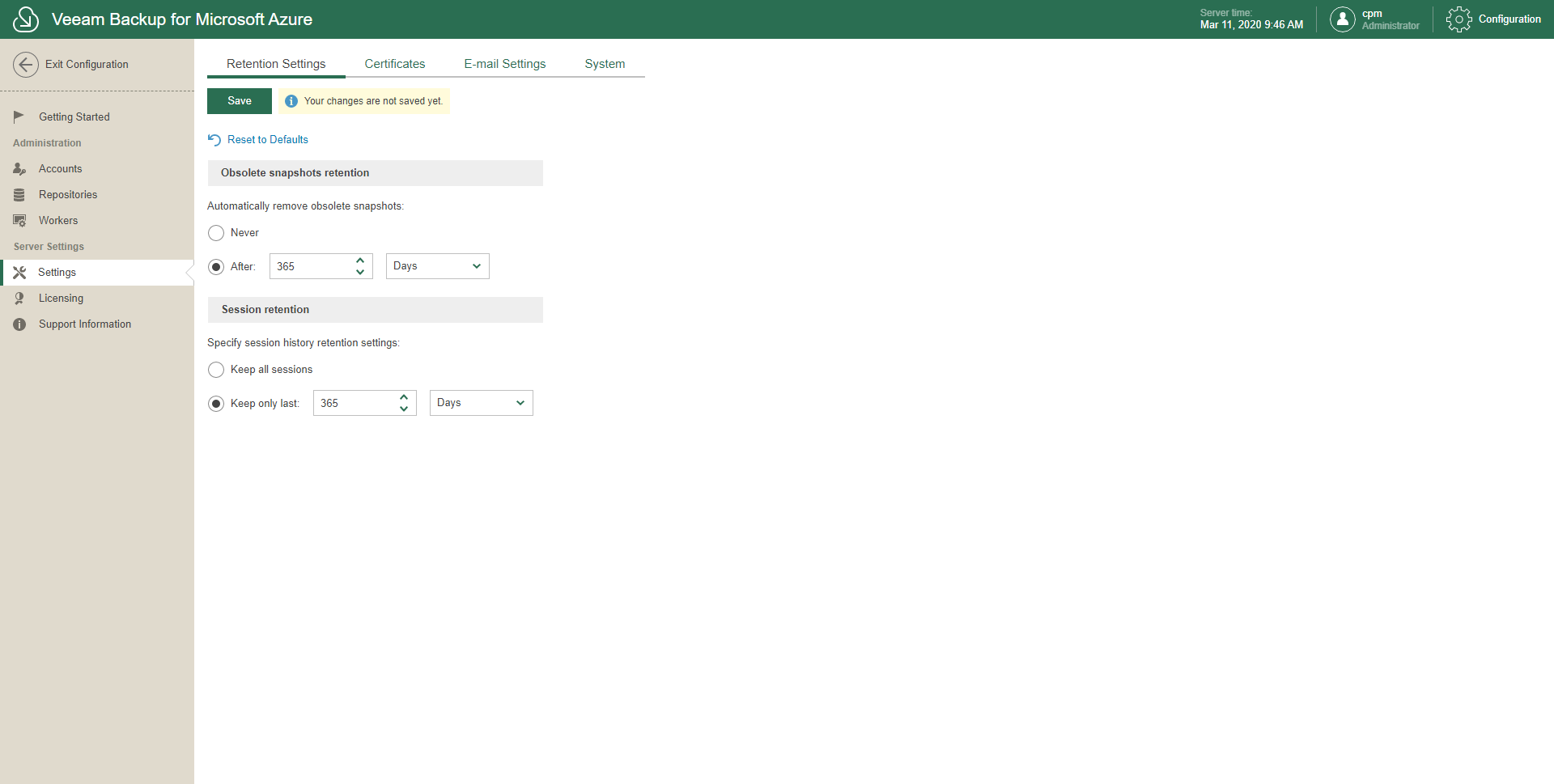
- On the Retention Settings tab, in the Obsolete snapshots retention section:
- Select Never if you do not want to apply an obsolete retention to snapshots of Microsoft Azure VMs.
- Select After and specify the number of days (or months) to keep snapshots of Microsoft Azure VMs.
- Select Keep all sessions if you want to preserve sessions history for unlimited period of time.
- Select Keep only last and specify the number of days (or months) to keep sessions history.
- Click Save.
To restore default settings, click Reset to Defaults.