Configuring Nested Reference Fields
If you have object records in Salesforce containing IDs of other records nested in text fields or JSON files, you can instruct Veeam Backup for Salesforce to treat these IDs as lookups. This means that the records containing the IDs will be treated as child records linked using restricted relationships. You can further restore the hierarchy of these records.
Important |
Archiving hierarchies of records linked using nested reference fields is not supported. |
To identify record IDs nested in text fields or JSON files that may potentially be used as lookups, do the following:
- Install the postgresql-contrib package on the PostgreSQL server that is used to host databases of the protected organization.
- In the Veeam Backup for Salesforce Web UI, do the following:
- Switch to the Configuration page.
- Navigate to About > Advanced Settings and click Confirm.
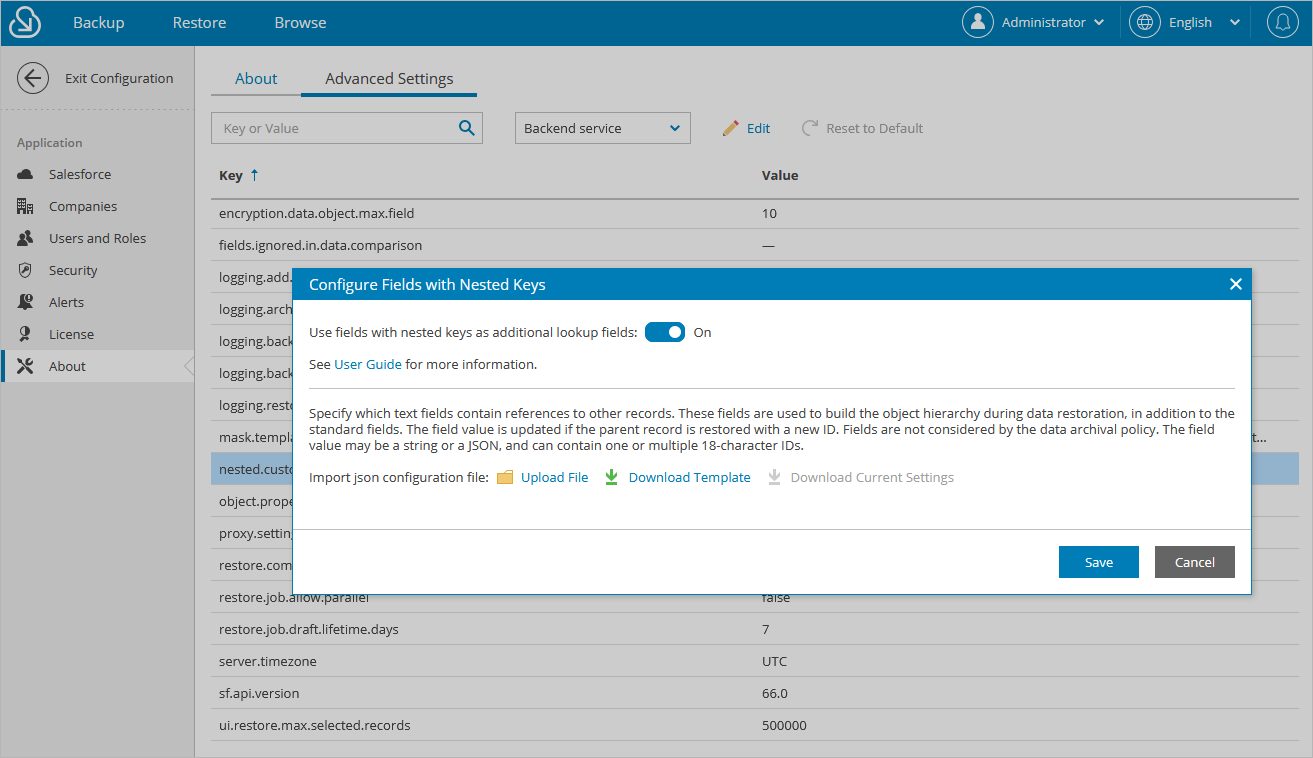
- In the list of available settings, locate nested.custom.relationships and click Edit.
- In the Configure Fields with Nested Keys window, set the toggle to On and upload a JSON file with the necessary configuration.
After you click Save, Veeam Backup for Salesforce will not start looking through text fields and updating the backup database immediately. The product will update the records during the next incremental backup and then will further analyze the record fields when the related restore job is launched.
Tip |
To configure a JSON file, download a template and follow the instructions provided in section Appendix C. Configuring JSON File. |