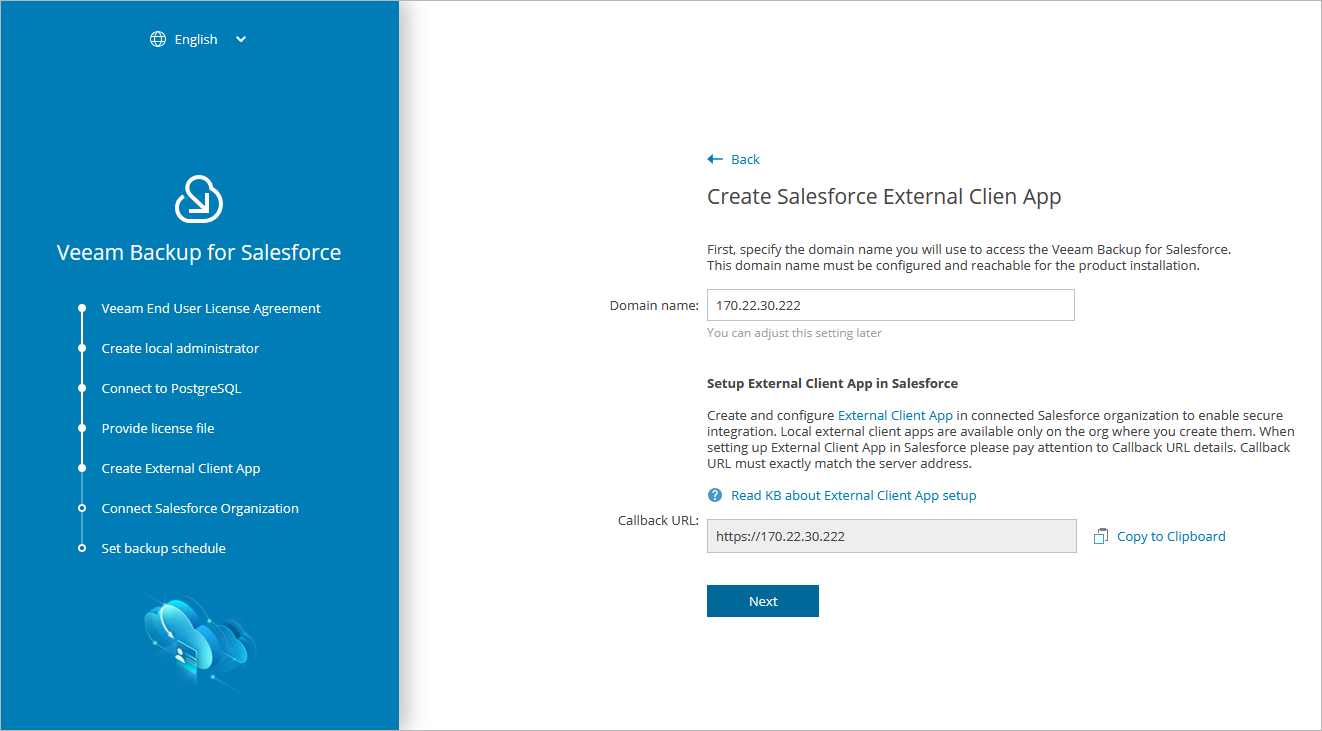
Step 5. Create External Client App
At the Create External Client App step of the wizard, you must configure an external client app whose security credentials will be used to authorize access to the Salesforce organization that will be protected by the default backup policy. To learn how to configure the external client app, follow the instructions provided in this Veeam KB article.
|
Note |
|
In Veeam Backup for Salesforce versions prior to 3.2, access to all protected Salesforce organizations was authorized using a single connected app. |
Considerations and Limitations
When creating an external client app, consider the following:
- The external client app must be assigned the Full access (full), Perform requests at any time (refresh_token, offline_access) and Access unique user identifiers (openid) OAuth scopes. For more information on OAuth scopes in Salesforce, see Salesforce Documentation.
- The following options must be enabled: Enable oAuth Settings, Require Secret for Web Server Flow and Require Secret for Refresh Token Flow.
- The following option must be disabled: Require Proof Key for Code Exchange (PKCE).
- The callback URL specified in the Callback URL field of the external client app must match the management server FQDN that you use to access the Veeam Backup for Salesforce Web UI.
Consider the following example:
You installed Veeam Backup for Salesforce on the machine with the following IP address: 172.12.0.1. To properly configure the external client app, you have copied the URL at the Create External Client App step of the initial configuration wizard and added it to the Callback URL field of the external client app.
Later, you decide to create the following DNS name for the machine running Veeam Backup for Salesforce: acme.internal.com. In this case, you must also add the following URL to the Callback URL field of the external client app: https://acme.internal.com.
After that, your Callback URL field will contain the following URLs:
- https://172.12.0.1
- https://acme.internal.com
|
Note |
|
After you create the external client app, you will be able to change it later. However, consider that after you change the app, you will have to re-authorize the connection to the related Salesforce organization as described in section Editing Connections. |