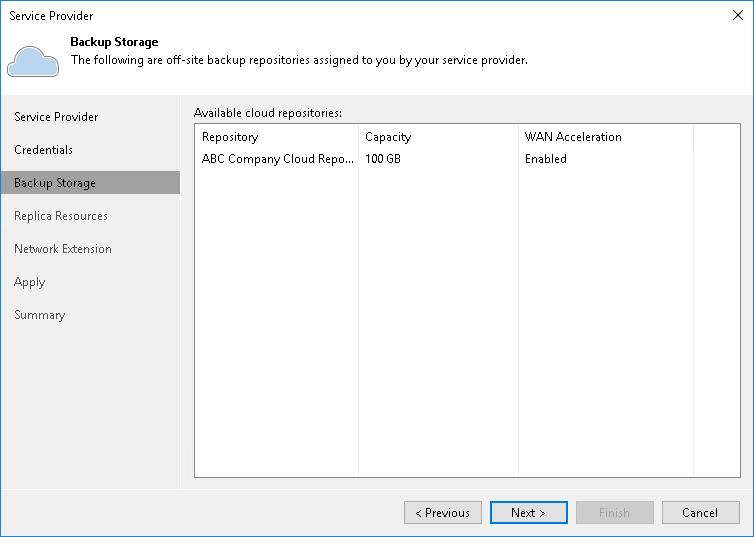
Step 4. Specify Backup Storage Settings
At the Backup Storage step of the wizard, Veeam Backup & Replication automatically enumerates the cloud repository resources allocated to you. Then you specify the restore scope of backups that the SP can restore.
- Wait for Veeam Backup & Replication to enumerate and display cloud repository resources allocated to the you. This may take some time.
- In the Allow the service provider to restore backups stored in cloud repositories field, click the None, Unencrypted backups only or All link.
- Select one of the following options:
- None. The SP cannot restore tenant backups from the cloud repository. This is the default option.
- Unencrypted backups only. The SP can restore only unencrypted tenant backups.
- All. The SP can restore both unencrypted and encrypted tenant backups.
To enable restore from encrypted backups, Veeam Backup & Replication on the tenant side releases the encryption password to the SP, so that the SP can decrypt the backup data for the restore operation.
|
Important |
|
This setting is permanent. Once you allow the SP to restore data from encrypted backups, you cannot revert it. |
For more information about this feature, see Access to Tenant Backups.