Assigning Agent Labels to Veeam Backup & Replication Servers
In Veeam Service Provider Console, you can assign agent labels for managed Veeam Backup & Replication servers. Assigning agent labels can help you differentiate managed servers that have same or similar names.
Required Privileges
To perform this task, a user must have one of the following roles assigned: Company Owner, Company Administrator, Company Tenant, Location Administrator.
Assigning Agent Labels
To assign agent labels to managed Veeam Backup & Replication servers:
- Log in to Veeam Service Provider Console.
For details, see Accessing Veeam Service Provider Console.
- In the menu on the left, click Managed Computers.
- Open the Backup Servers tab.
- Select a Veeam Backup & Replication server in the list.
- Click a link in the Agent Label column.
If the column is hidden, click the ellipsis on the right of the list header and select Agent Label in the list of properties that must be displayed.
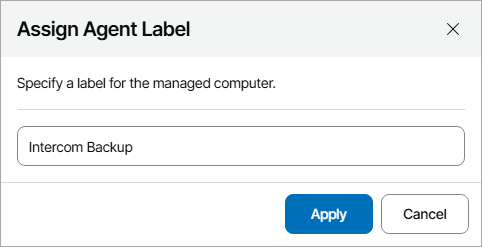
- In the Assign Agent Label window, specify a label that must be assigned to a backup server and click Apply.