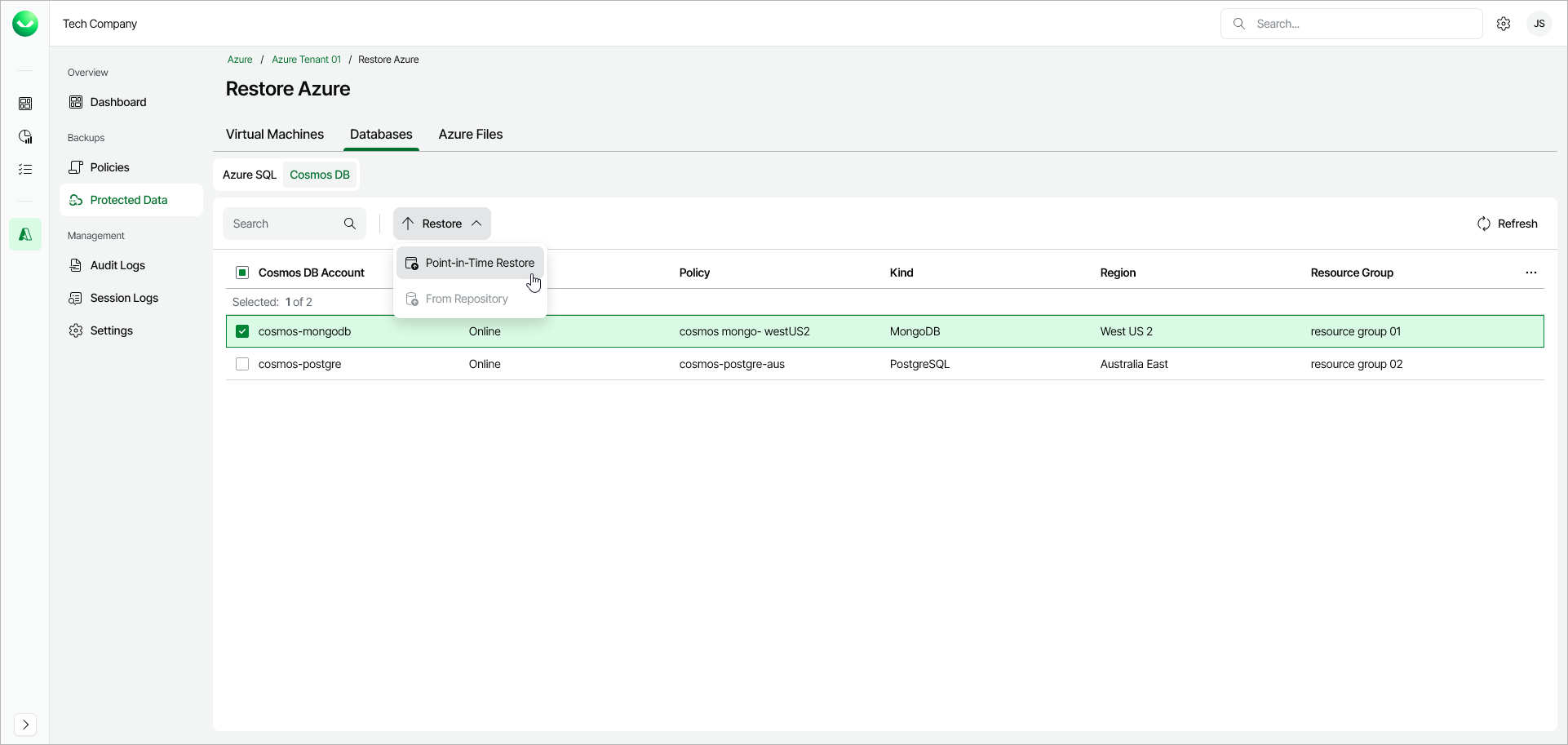
Step 1. Launch Cosmos DB Restore Wizard
To launch the Cosmos DB Restore wizard, do the following:
- In the Backups section of the main menu, select Protected Data.
- Navigate to Databases > Cosmos DB.
- Select the Cosmos DB account that you want to restore.
- Click Restore > Point-in-Time Restore. Alternatively, right-click the selected Cosmos DB account and, in the context menu, choose Restore > Point-in-Time Restore.